VoiceStudio: Run Local Transcription and Review GTM Signals
Set up VoiceStudio speech-to-text and MCP, then turn a sample sales-call transcript into reviewable GTM signals.
"We use HubSpot today. We're evaluating Salesforce next quarter." Two technology mentions in a sales call, but only one describes a tool the company currently uses. If an enrichment pipeline labels both as active, that mistake ends up in segmentation and outreach.
VoiceStudio can transcribe a call through its local speech-to-text API. The harder part comes after transcription: deciding what the statements mean. A small Python script can separate current usage from evaluation and follow-up requests while keeping the original wording attached.
VoiceStudio reached #3 on the October 26, 2026 GitHub daily trending list. Version v0.5.6 was released September 23. Its maintainers list support for 646 languages, voice cloning, dubbing and an MCP interface.
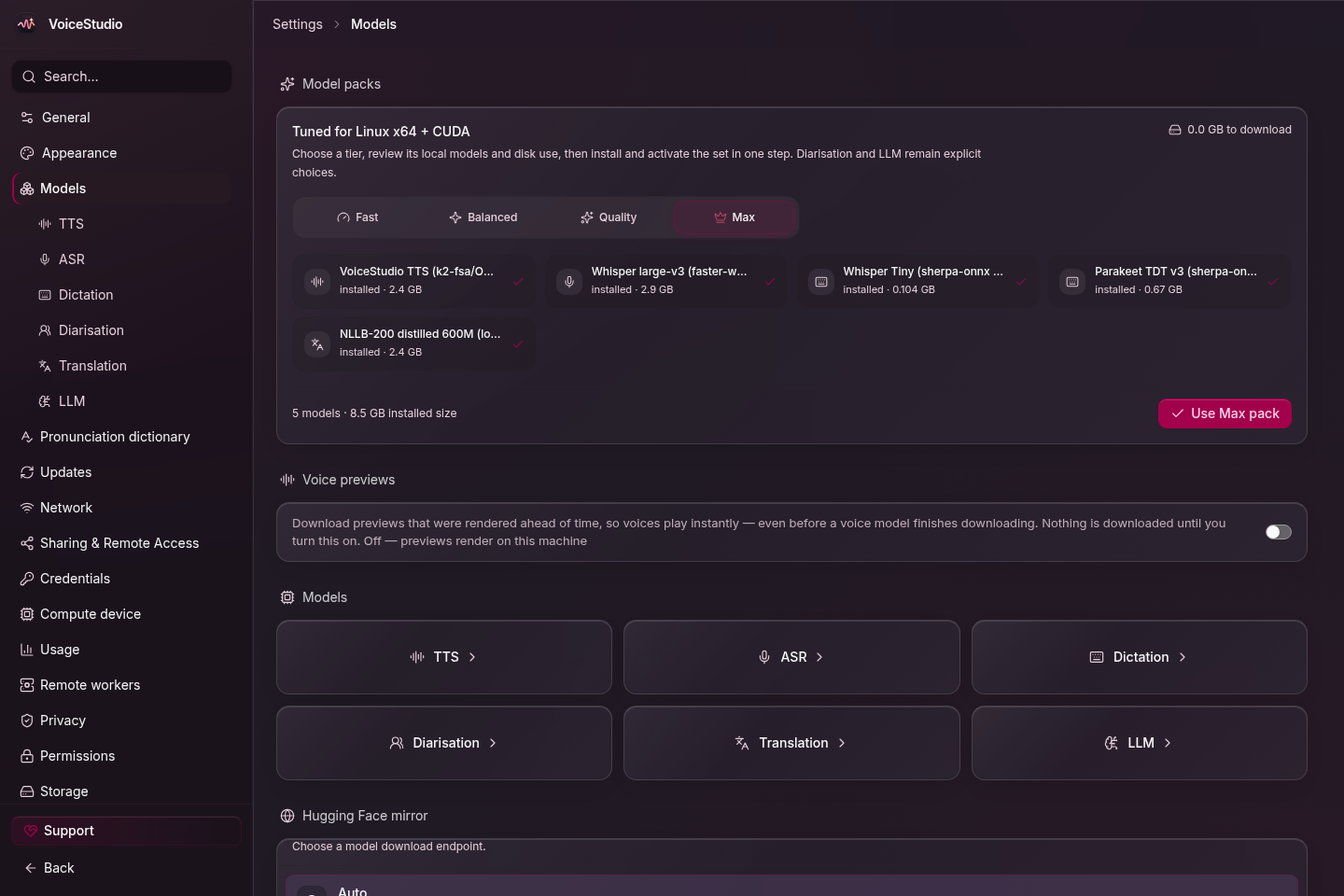
VoiceStudio model-management screen.
Voice cloning and audiobooks
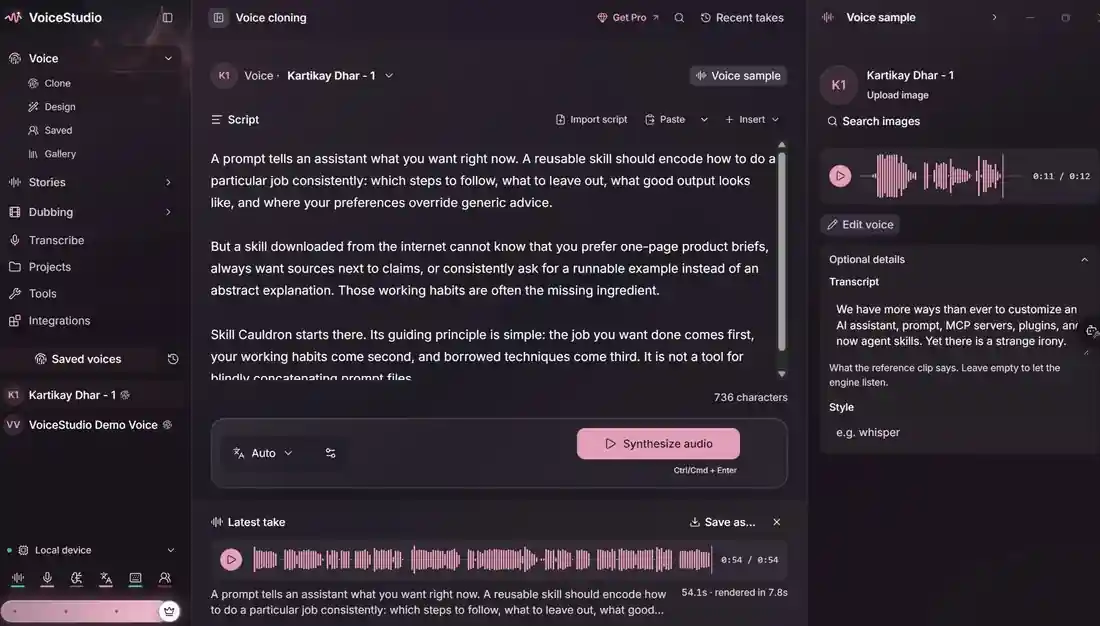
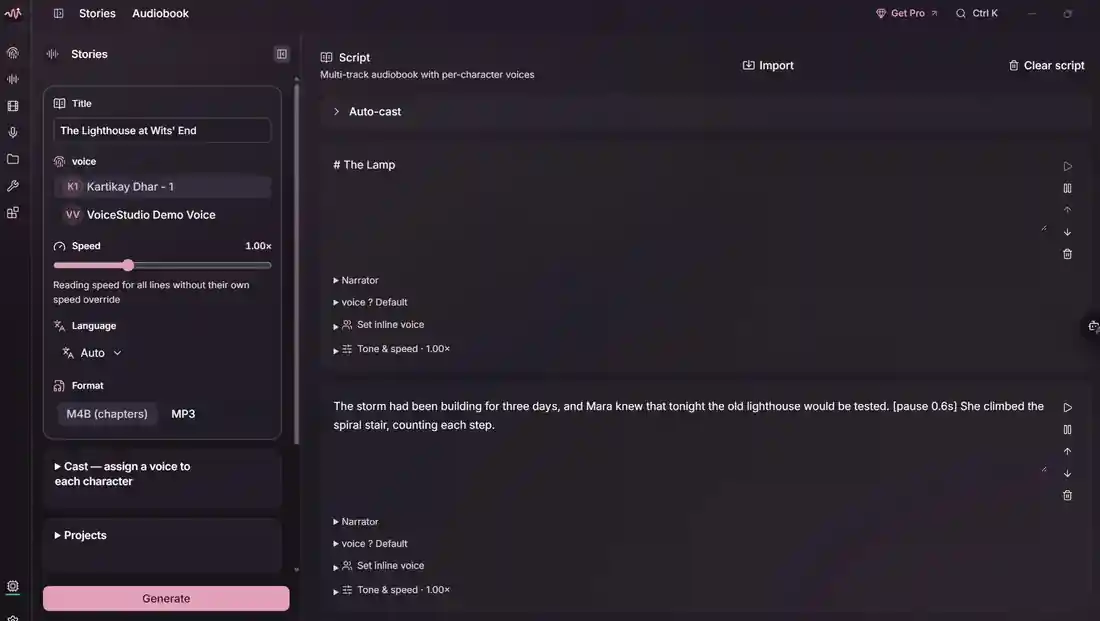
The desktop app has separate workspaces for voice cloning and audiobooks, alongside the transcription tools used later in this tutorial.
Install the desktop app
On Windows 10/11 x64, download the Electron installer from GitHub Releases. The Windows installation guide recommends roughly 10 GB of free disk space and explains how to check the installer against SHA256SUMS.txt. VoiceStudio prepares Python, FFmpeg and the model environment on first launch.
There's also a PowerShell installer. Review the remote script before running it:
irm https://voicestudio.sh/install | iex
VoiceStudio supports NVIDIA CUDA acceleration on Windows. With an 8 GB GPU, start with a small Whisper model; VRAM needs vary by engine. Open Settings → Performance and check whether the backend is using cuda or cpu. The performance guide covers those indicators.
For Apple Silicon macOS and Linux, the project provides this installer:
curl -fsSL https://voicestudio.sh/install | sh
On Intel Macs, the Electron interface can run, but the local Python backend isn't supported because compatible PyTorch wheels aren't available. The macOS guide recommends pointing the interface at a backend running on Windows, Linux or Apple Silicon. That also works when your GPU is on another machine.
Check the local API
Finish VoiceStudio's first-run setup, then check the backend. It uses port 3900 by default. From the host running the backend:
curl http://127.0.0.1:3900/.well-known/voicestudio-speech
The speech-platform documentation explains the capability endpoint and the transcription route. If the request fails, check that the backend has started and that you're using the right host and port. The response format depends on the installed version.
With the participants' permission, record a short call excerpt, save it as call.wav, and send it to the OpenAI-compatible transcription endpoint:
curl -sS http://127.0.0.1:3900/v1/audio/transcriptions \
  -F "file=@call.wav" \
  -F "model=whisper-1" \
  -F "response_format=json" \
  -o transcript.json
If the requested Whisper model isn't installed, select one available in VoiceStudio. Local loopback calls don't require an OpenAI API key. For remote connections, follow the API authentication guidance rather than exposing port 3900 publicly.
For a repository checkout, VoiceStudio also has a Python bridge:
python -m backend.speech_client transcribe call.wav
Run that command in an environment where the VoiceStudio backend package is installed. It's an alternative to the HTTP request, not another required desktop setup step.
Turn the transcript into a review queue
To work on the enrichment logic without recording a call, save this fictional transcript as fictional_transcript.json:
{
  "text": "We use HubSpot today. We're evaluating Salesforce for next quarter. Please send the pricing sheet by Friday."
}
The HubSpot statement reports current usage. Salesforce is being evaluated, and the pricing sheet is a follow-up request. Those belong in different fields, even though they came from the same conversation.
Save the following script as review_signals.py. It matches three specific phrases and keeps the exact text for a reviewer:
#!/usr/bin/env python3
"""Convert a transcript JSON file into a small human-review queue.

The rules deliberately match a few explicit phrases. They do not verify
company claims, identify speakers, or infer technology adoption.
"""
import argparse
import json
import re
from pathlib import Path

RULES = (
    ("reported_current_crm", "HubSpot", r"\bwe use HubSpot today\b"),
    ("under_evaluation", "Salesforce", r"\bwe(?:'re| are) evaluating Salesforce\b"),
    ("follow_up_request", "pricing sheet", r"\bplease send (?:the )?pricing sheet\b"),
)


def review(text: str, source: str) -> dict:
    if not isinstance(text, str):
        raise ValueError("Transcript 'text' must be a string")
    signals = []
    for category, value, pattern in RULES:
        match = re.search(pattern, text, flags=re.IGNORECASE)
        if match:
            signals.append({
                "type": category,
                "value": value,
                "evidence": match.group(0),
                "status": "needs_human_review",
            })
    return {"source": source, "signals": signals}


def main() -> None:
    parser = argparse.ArgumentParser()
    parser.add_argument("transcript", type=Path, help="JSON object with a text field")
    args = parser.parse_args()
    payload = json.loads(args.transcript.read_text(encoding="utf-8"))
    if not isinstance(payload, dict) or "text" not in payload:
        raise ValueError("Expected a JSON object containing 'text'")
    print(json.dumps(review(payload["text"], args.transcript.name), indent=2))


if __name__ == "__main__":
    main()
Run it with Python 3:
python review_signals.py fictional_transcript.json
The output separates the three signals:
{
  "source": "fictional_transcript.json",
  "signals": [
    {
      "type": "reported_current_crm",
      "value": "HubSpot",
      "evidence": "We use HubSpot today",
      "status": "needs_human_review"
    },
    {
      "type": "under_evaluation",
      "value": "Salesforce",
      "evidence": "We're evaluating Salesforce",
      "status": "needs_human_review"
    },
    {
      "type": "follow_up_request",
      "value": "pricing sheet",
      "evidence": "Please send the pricing sheet",
      "status": "needs_human_review"
    }
  ]
}
The script's tests also cover negation ("We do not use HubSpot today") and missing text values.
The rules recognize specific wording. A caller might say "we've been on HubSpot for years" or mention Salesforce in a question; this script doesn't cover those cases. Keep a human review step before updating the CRM. A more flexible LLM-based extractor would still need an evaluation focused on unsupported technology claims.
Connect an agent through MCP
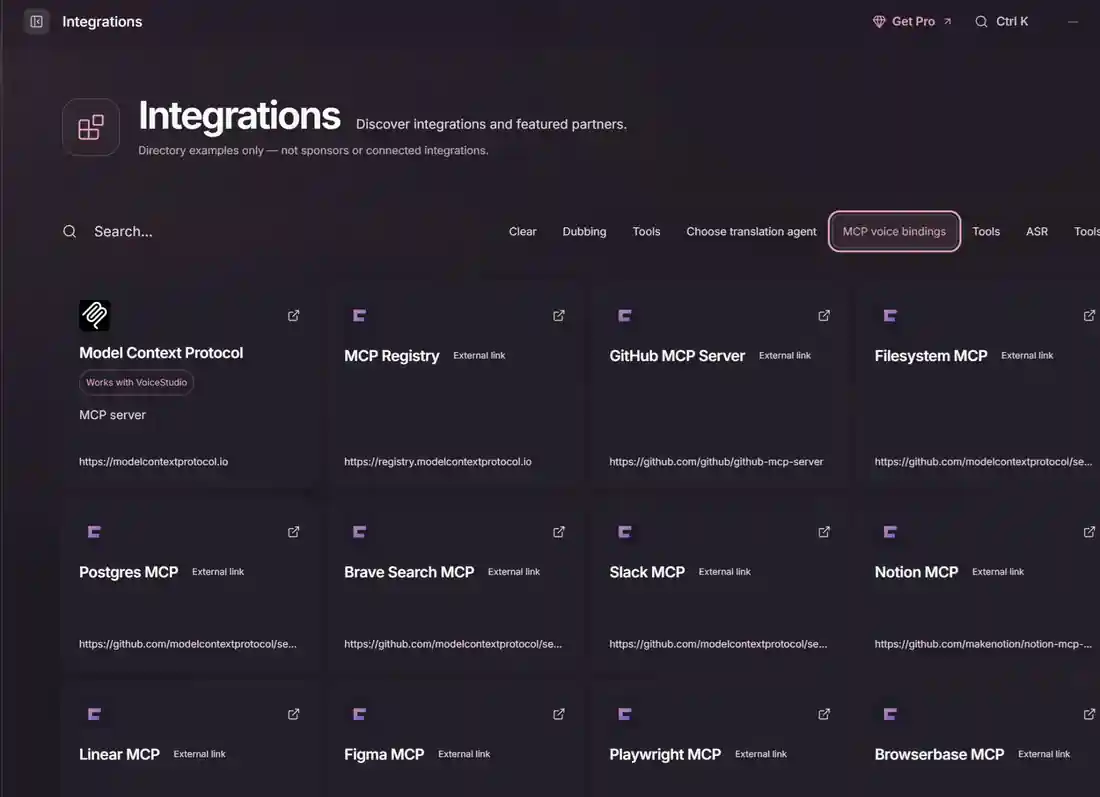
VoiceStudio exposes transcribe and check_health tools through MCP. The server runs with its backend. The MCP documentation lists this Streamable HTTP endpoint:
http://127.0.0.1:3900/mcp/
For Codex CLI, add this configuration to ~/.codex/config.toml:
[mcp_servers.voicestudio]
url = "http://127.0.0.1:3900/mcp/"
http_headers = { "X-OmniVoice-Client-Id" = "codex-cli" }
Keep the trailing slash for compatibility with older builds. VoiceStudio can also export client-specific configuration from its Integrations screen. After connecting, call check_health before sending audio to transcribe.
An agent can transcribe a consented recording, pass the text to the review script and prepare a draft account note with source quotations. Keep the recording and transcript under an approved retention policy, and follow applicable recording laws.
Before connecting it to a CRM
Start with consented calls whose technology mentions have been reviewed by a person. Label each mention as current usage, evaluation, migration, rejection or a passing reference. Measure how often the pipeline incorrectly marks a company as an active user of a tool.
Check recognition errors in company names, product names and mixed-language conversations. A transcript can read fluently while getting a proper noun wrong. VoiceStudio lists 646 languages, but recognition accuracy depends on the language, model and recording quality.
For the first integration, store recordings and transcripts in an approved environment, generate signal candidates, and require review before writing to the CRM. Keep the supporting quotation so a research agent can independently check the claim later.
VoiceStudio uses the AGPL-3.0 license. Model weights and voice assets may have different terms. Check the license notice before a commercial deployment.
Sources
Stay in the loop
Get notified when I publish new articles and projects.