Microsoft Scope: Test Whether AI Agents Use Your APIs Correctly
Set up Microsoft's open-source Scope platform, run a coding-agent evaluation, define criteria, and inspect failures in API integration tasks.
A coding agent can produce a working application while using an SDK incorrectly. It might choose an outdated method, miss an error response, or ignore the documentation for an authentication flow. The application builds, so the mistake survives until someone tries the integration.
Microsoft Scope gives SDK and tool maintainers a way to investigate those failures. Microsoft announced its open-source release on October 19, 2026. Scope runs coding agents against tasks you define, evaluates their work against observable criteria, and keeps the files and execution traces for review. It is MIT-licensed and currently described as a research preview.
I'm interested in this for MCP servers and data APIs. Publishing a tool definition or a code example doesn't tell you whether an agent will find it, select the right operation, and handle a failure response. Scope gives you a way to put that behavior under a repeatable test.
Scope in pictures
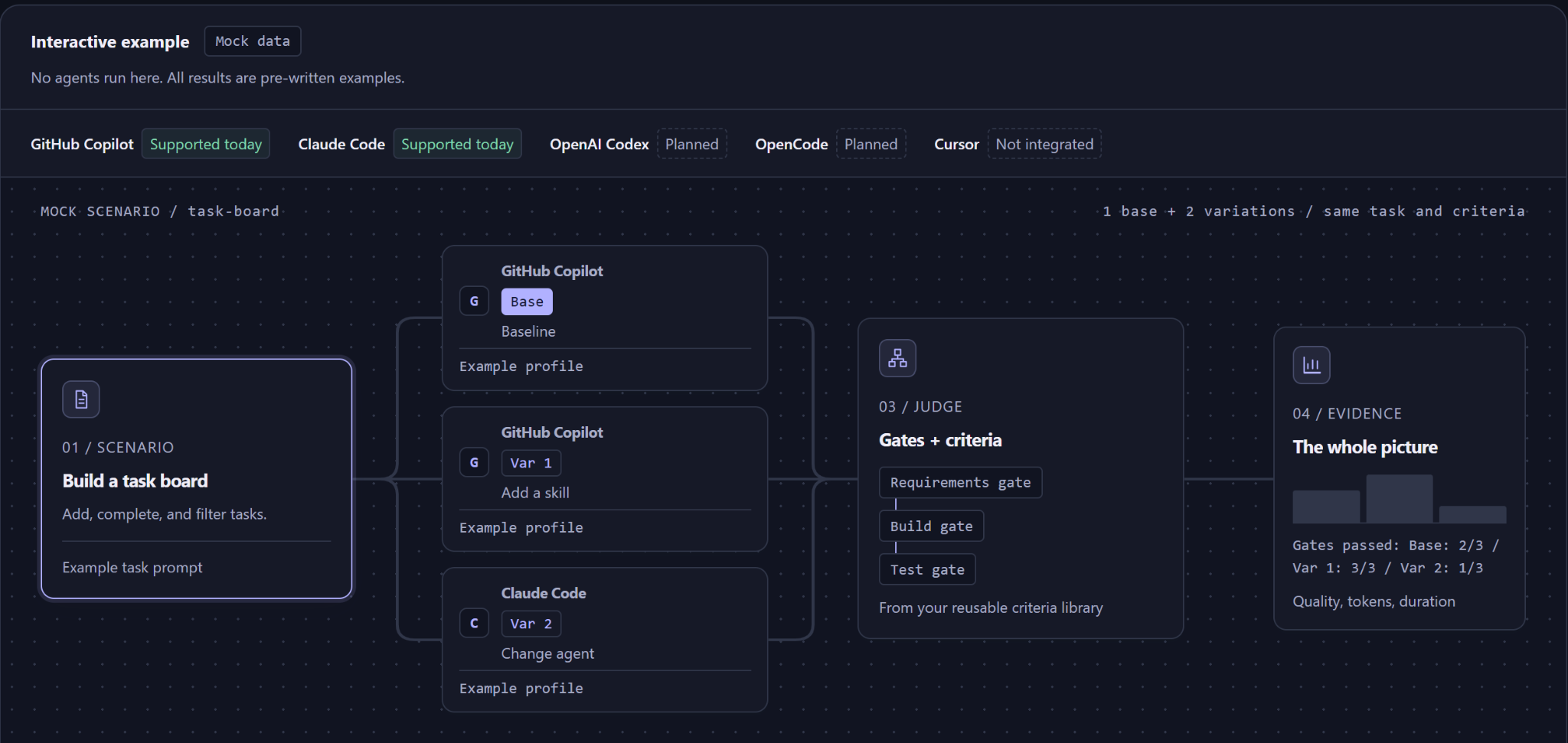
These four screenshots follow the interactive example on Microsoft’s Scope site. The site labels it mock data: no agents run in this demo, and its outcomes, token counts, and durations are fictional.
1. Define the scenario
2. Compare agent profiles
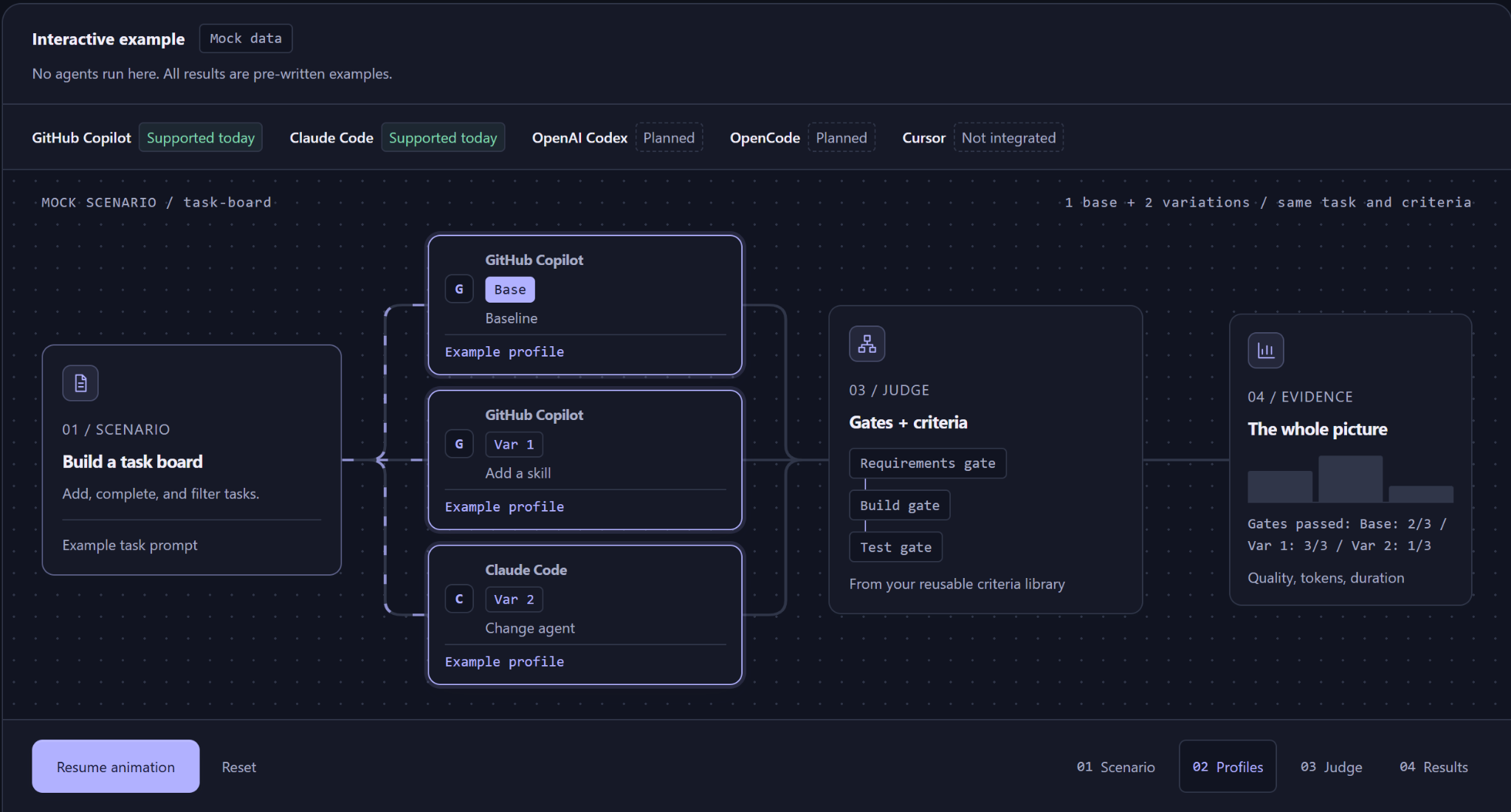
3. Evaluate gates and criteria
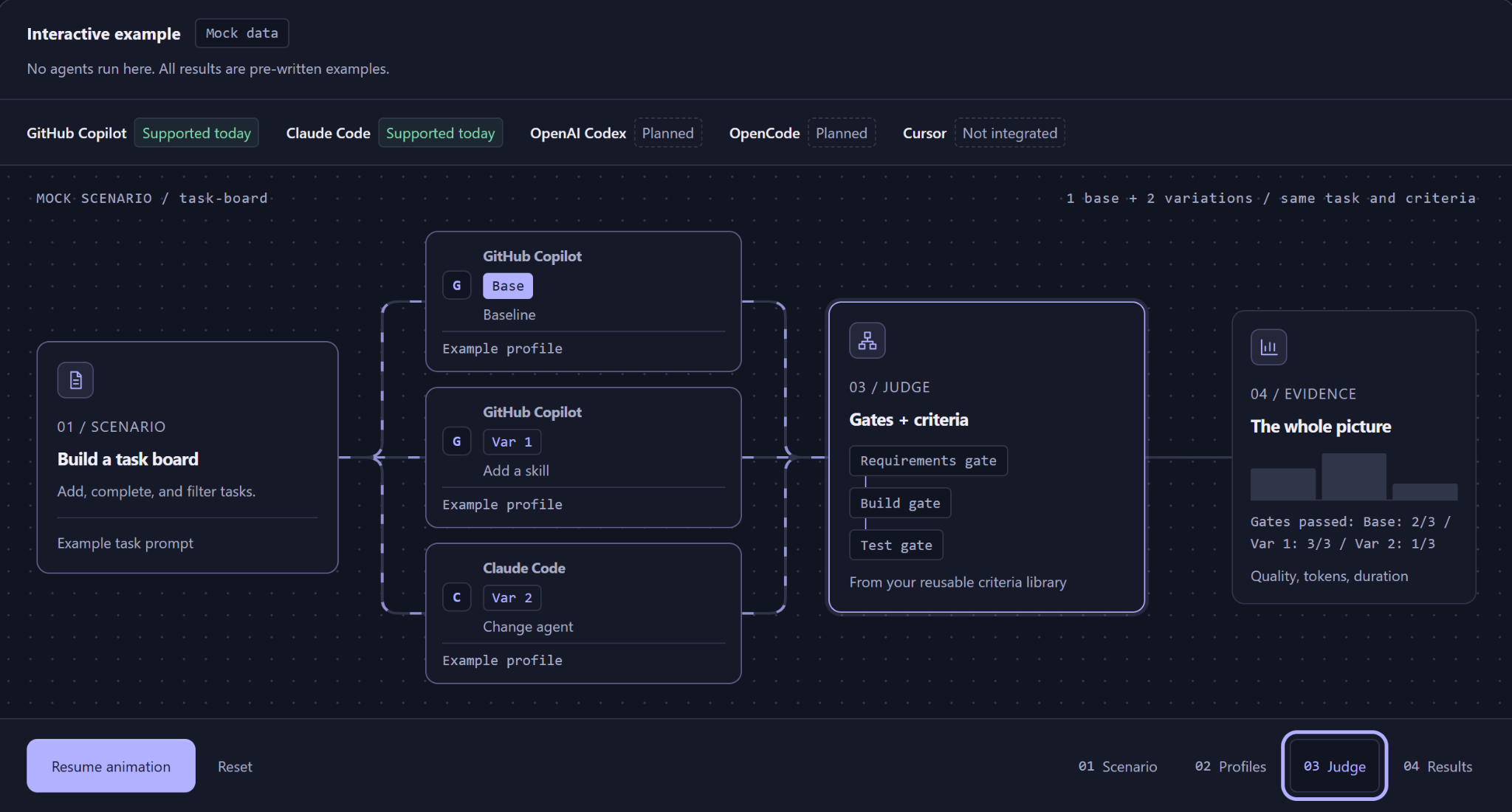
4. Inspect the results
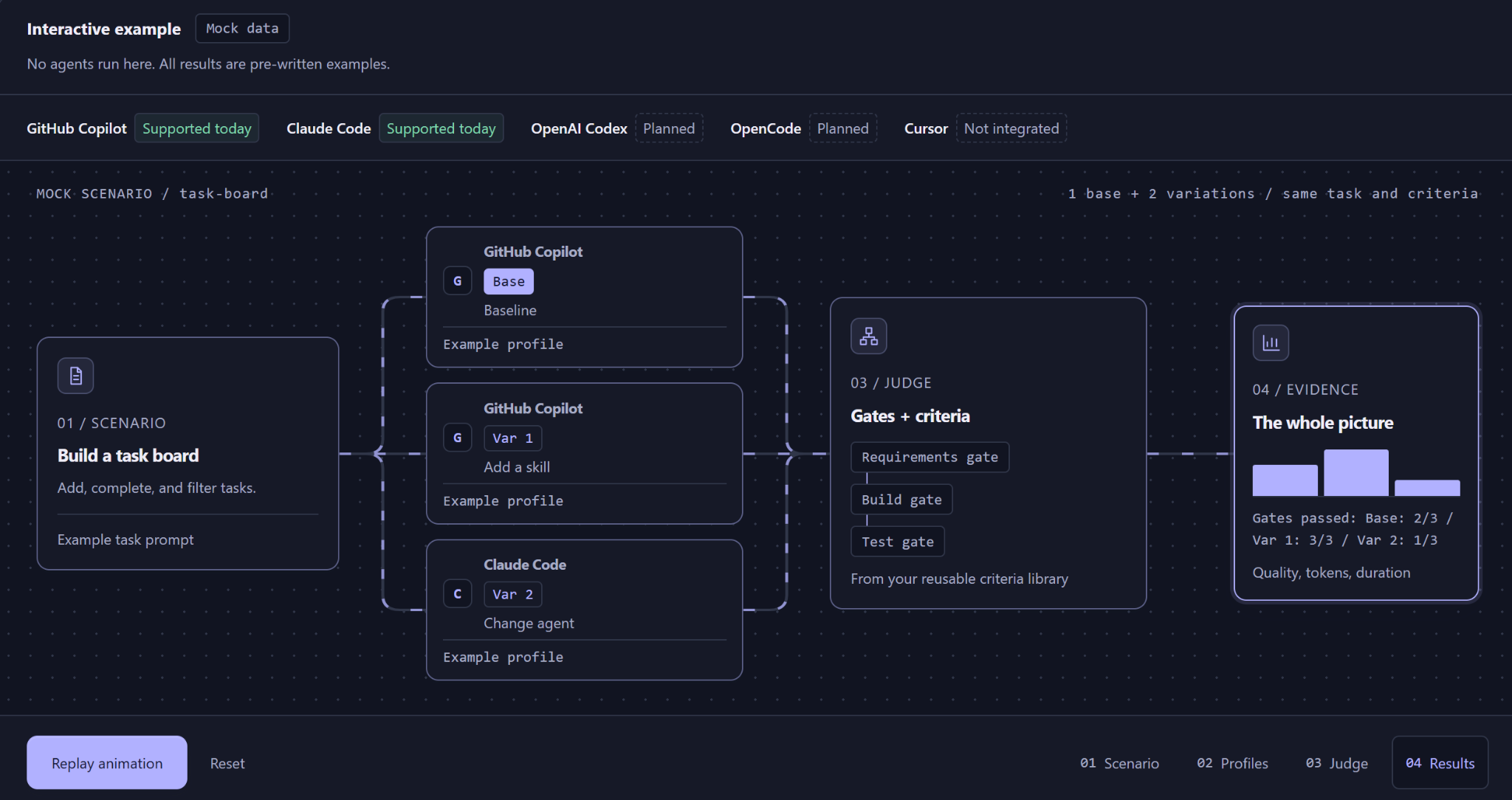
Screenshots captured by Kartikay Dhar from Microsoft’s official Scope walkthrough on October 27, 2026. Interface and demo content: Microsoft. Open any screenshot to view it at full size.
How Scope works
Each evaluation combines a task prompt, a set of criteria, and an agent profile. The profile records which worker and model to use, along with any configured skills, MCP servers, or extensions. Scope can run GitHub Copilot CLI or Claude Code through its local workers. Its Portal shows live activity and stores the generated workspace, while a Judge service evaluates the outcome.
Criteria can depend on other criteria. If an application fails to build, for example, a test that requires the application to run can be skipped. Scope represents those relationships as a directed acyclic graph (DAG), and the report records which criteria passed, failed, or were skipped.
The official criteria guide recommends checks that describe an observable result. "GET /health returns HTTP 200 with JSON" gives the Judge something specific to inspect. "The integration is well designed" leaves too much room for interpretation.
Microsoft's Azure Cosmos DB team used Scope across eight end-to-end scenarios in five languages. According to the launch announcement, that work led to fixes for 20 Agent Kit issues and 27 documentation issues. In the scenarios Microsoft reported, one subsequent Agent Kit change increased hierarchical partition-key adoption from 47% to 100% and reduced incorrect OFFSET/LIMIT usage from 47% to 0%. Those figures describe that team's evaluated scenarios.
Install Scope locally
The local development guide uses a Bash-compatible terminal and requires Git, Node.js 22, pnpm 10.29.1, Docker with Compose v2, mkcert, and GitHub CLI. The default quick start uses GitHub Copilot CLI, so the GitHub account needs an active Copilot entitlement. The Judge also needs access to a supported model provider.
On Windows, run the commands in WSL or another Bash-compatible environment with Docker available. On macOS or Linux, use your usual terminal.
git clone https://github.com/microsoft/scope.git
cd scope
corepack enable
pnpm install --frozen-lockfile
Sign in with GitHub CLI and start the local stack:
gh auth login
GITHUB_TOKEN="$(gh auth token)" pnpm docker:dev:copilot
The startup command launches the API, Portal, worker, Judge, and supporting services. It also sets up local authentication certificates with mkcert. For persistent provider configuration, copy .env.local.example to .env.local and follow the environment reference for the required model credentials. Keep tokens out of Git.
In a second terminal, from the Scope repository:
pnpm open:portal
The default Portal address is http://localhost:5100. Local development uses seeded sign-in accounts, including alice@entralocal.dev; it does not require a production Microsoft Entra tenant. Scope's local worker mounts the Docker socket, so use a dedicated development environment for agent-generated code and keep the stack off the public internet.
Worked example: evaluate a company lookup API
Consider a fictional B2B company lookup service. The coding agent's job is to build a small Express API using an in-memory fixture. There is no external enrichment provider or real company database in this example. This is a proposed exercise you can run locally; the screenshots above show Microsoft’s task-board demo, not results from this exercise.
Create a project in the Scope Portal. Open New Run and use this task prompt:
Build a Node.js 22 Express service with these endpoints:

GET /health
  Respond with HTTP 200 and JSON {"status":"ok"}.

GET /companies/:domain
  For example.com, respond with HTTP 200 and JSON
  {"domain":"example.com","name":"Example Co"}.
  For any other domain, respond with HTTP 404 and JSON
  {"error":"not_found"}.

Read the listening port from process.env.PORT, defaulting to 3000.
Add package.json scripts for starting the server and running tests.
Include tests for the three response cases and a README with
local setup instructions. Do not call an external API.
This task is small enough to inspect, but it includes the kinds of mistakes that also appear in SDK integrations: wrong response shape, missing error handling, and hard-coded configuration.
Define the criteria
Open Criteria in the Portal and create these checks. Use the IDs exactly if you want to reproduce the dependency relationships.
| Criterion ID | Prompt | Depends on |
|---|---|---|
express_installed |
package.json declares Express as a dependency. |
None |
server_starts |
The project starts an Express HTTP server using its documented start command. | express_installed |
health_json |
GET /health returns HTTP 200 and JSON {"status":"ok"}. |
server_starts |
company_lookup |
GET /companies/example.com returns HTTP 200 with the specified domain and name. |
server_starts |
missing_company |
GET /companies/unknown.test returns HTTP 404 and JSON {"error":"not_found"}. |
server_starts |
configurable_port |
The server reads its listening port from process.env.PORT, defaulting to 3000. |
server_starts |
tests_pass |
The project's documented npm test command completes without test failures. |
server_starts |
If you want to inspect the criteria from a terminal after creating them in the Portal, Scope also ships a CLI. From the repository root, run:
pnpm build:cli
export SCOPE_API_URL=http://localhost:3100
pnpm cli project list
pnpm cli project use <project-id>
pnpm cli criteria list
Replace <project-id> with the ID returned by project list. The local API port defaults to 3100. The CLI guide covers scripted submission and run history.
Submit and inspect the run
In New Run, choose the task prompt and criteria set, then select a profile using the running GitHub Copilot CLI worker and a model available to your account. Submit the request.
The run page streams the agent's tool calls and activity. When processing finishes, open the Report tab for the criterion results and inspect the workspace files. A failed missing_company criterion is a reason to inspect the generated route and tests. It might indicate a missing 404 branch, a response-body mismatch, or a limitation in the Judge's assessment. Read the trace and code before changing the prompt.
To check the generated service independently, start it using the command in its README and run this Node.js script from a separate terminal:
node --input-type=module <<'NODE'
import assert from 'node:assert/strict';

const cases = [
  ['/health', 200, { status: 'ok' }],
  ['/companies/example.com', 200,
    { domain: 'example.com', name: 'Example Co' }],
  ['/companies/unknown.test', 404, { error: 'not_found' }],
];

for (const [path, status, expected] of cases) {
  const response = await fetch(`http://127.0.0.1:3000${path}`);
  assert.equal(response.status, status, path);
  assert.match(response.headers.get('content-type') ?? '',
    /application\/json/i, path);
  assert.deepEqual(await response.json(), expected, path);
}

console.log('All three endpoint checks passed.');
NODE
The script expects the server to be listening on port 3000. A failing assertion stops the script and identifies the response that differs from the task. The console.log line runs only if all three assertions pass.
Compare a baseline with better instructions
The same evaluation can test whether your documentation helps an agent use an SDK or MCP server correctly. Keep the task and criteria unchanged, then create two profiles: one with the default agent configuration, and one with your SDK guidance or MCP server attached. Scope records the profile used for each run.
For a data-enrichment API, I'd start with tasks that require an agent to choose the right lookup method and handle a missing company. Add a rate-limit scenario only after you have a controlled fixture for it. A criterion should specify the expected behavior, such as returning a retryable error to the caller without discarding the original request. Keep real credentials and customer records out of the test codebase.
Repeat each profile's run before drawing conclusions. Agent outputs vary between attempts, and the Judge can misclassify a result. The traces are useful because you can inspect which SDK method the agent called and what documentation it read. Scope also exposes a CLI and REST API for submitting and reviewing evaluations from scripts.
When Scope is worth the setup
Scope makes sense when your team owns a developer-facing product and wants to know how coding agents use it. An MCP server, SDK, CLI, or set of agent skills gives you a concrete surface to evaluate. A single reproducible task can expose a broken example or an ambiguous tool description.
It is a self-hosted research preview with a fairly substantial local stack. For a one-off prompt comparison, a small test harness may be easier. Scope becomes more useful when you need to retain agent configurations, compare runs over time, and trace failures back to code or documentation changes.
The GitHub repository and local setup guide are the starting points. The first useful experiment is a task that an agent regularly gets wrong in your own product.
Sources
Stay in the loop
Get notified when I publish new articles and projects.