draw.io MCP drafts diagrams; logos need a fix
draw.io MCP drafts architecture diagrams fast. Shape search misfires on brands; pairing it with a logo library fixed eight icons.

Head of Product at Sprouts.ai
draw.io MCP is the official way for an AI assistant to create diagrams in draw.io, the free diagram editor also known as diagrams.net. MCP means Model Context Protocol: a standard that lets an assistant call tools. Here, those tools look up shapes and build diagrams from descriptions written as draw.io XML or Mermaid.
For a product manager, the useful question is whether an assistant can draft an architecture diagram you can check and edit. I tried the project's MCP App server at commit 639186a, package version 1.7.0. Shape search was fast. A seven-box diagram came back as a draw.io link in 10 milliseconds. Brand matching still needed a person to check the results. A follow-up pass showed a clear fix: keep draw.io MCP for the diagram, and look up brand logos in a dedicated logo library.
What I tested
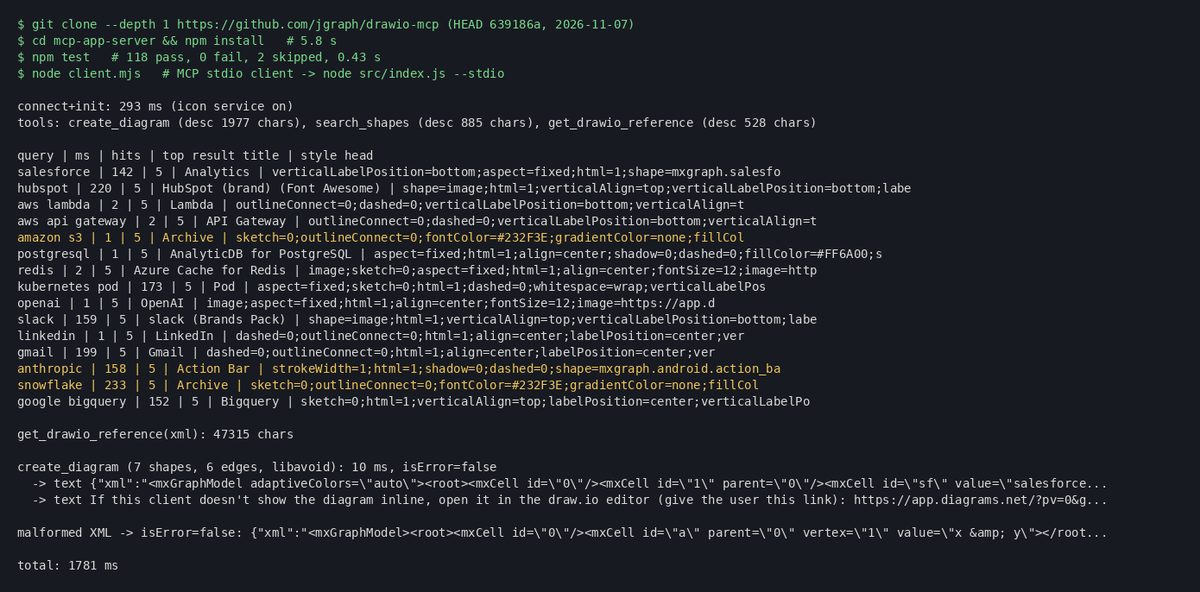
A local copy of jgraph/drawio-mcp at commit 639186a, with the MCP App server package at version 1.7.0.
Install and the project's own test suite.
A small MCP client that listed the tools, searched 15 shape names, fetched the XML reference and created one architecture diagram.
Two search modes: with the draw.io icon service on, and with it turned off.
Opening the returned diagrams.net link in a browser and saving a screenshot.
A second, separate pass on eight brand names against logo libraries, then a logo-grid render with correct HTTPS URLs.
The numbers below come from that local source build. They are not timings of the hosted Cursor connector.
How would I try it for the first time?
For a first try, I would use Cursor 2.6 or newer with the hosted draw.io connector. That path is documented in the official README. My measured timings used a local source build instead, so treat them as a separate check of the same tools.
In Cursor 2.6 or newer, add the hosted MCP server at
https://mcp.draw.io/mcp. The README links a one-click install for that URL.Approve the connector when Cursor asks. Review which tools it can use before you rely on it for real architecture work.
Ask for a small diagram with a known answer, such as "draw Salesforce and HubSpot feeding an API Gateway and Lambda, then PostgreSQL, OpenAI and Slack."
Open the result in draw.io and check each icon. Do not treat a finished-looking diagram as a correct brand match.
On that hosted path, diagram content is sent to the draw.io MCP service as part of the request. The README's Data Residency section says this clearly. A local or self-hosted MCP App server, or the local tool server, can keep the diagram processing on your side. That still does not keep the content away from a hosted AI model: the README says the diagram is generated by the model, and end-to-end isolation needs a local model too.
Use a local install when an engineer wants privacy controls or desktop workflows. The tool-server docs support:
npx @drawio/mcpThat is the engineering alternative, not the first-use path I would give a product manager.
What can it do?
The server exposed three tools:
create_diagram: builds a diagram from draw.io XML or Mermaid and returns a viewer or editor link.search_shapes: searches draw.io's libraries, and can fall back to the icon service for brand logos.get_drawio_reference: returns a long XML or Mermaid writing guide for the model.
The XML reference was 47,315 characters. The create_diagram tool description itself was 1,977 characters. The docs say the long guide was moved out of the tool description so clients that index tool lists can still load it.
How fast was shape search?
I searched 15 names used in product and infrastructure diagrams. After the first call, many built-in library hits returned in 0 to 2 milliseconds. The first call took 142 to 146 milliseconds. Queries that used the icon service took about 152 to 233 milliseconds.
Correct top hits with the icon service on: AWS Lambda, API Gateway, LinkedIn, Gmail, BigQuery, Kubernetes Pod, HubSpot and Slack.
Wrong or misleading top hits: anthropic became Android Action Bar; snowflake and amazon s3 both became AWS Archive; postgresql became Alibaba AnalyticDB for PostgreSQL; salesforce became a Salesforce stencil named Analytics.
With the icon service off, HubSpot and Slack returned zero hits. The wrong matches above still appeared from the built-in libraries.
Speed alone is not enough. An assistant can draw quickly and still pick the wrong logo.
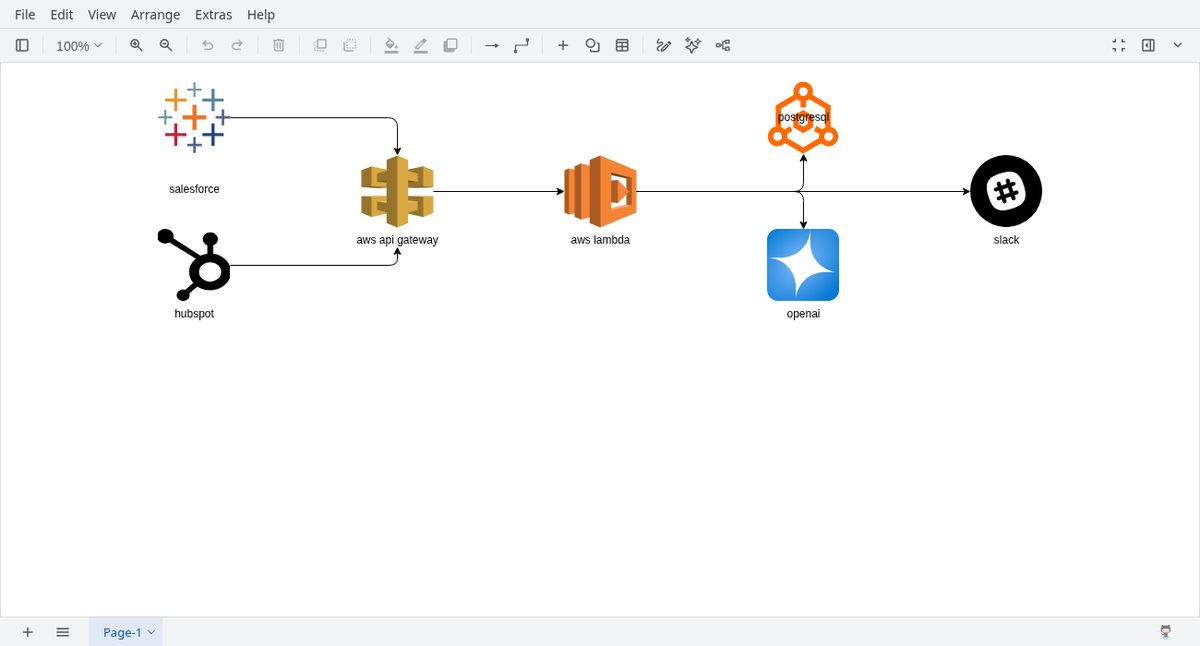
In the architecture diagram above, the boxes and arrows are fine. Salesforce and PostgreSQL already look wrong because shape search picked related but incorrect marks.
Why do brand icons go wrong?
In the repo source at commit 639186a, shared/icon-search.js supplements the local shape index with an online lookup at https://icons.diagrams.net/api/icons. That service searches mixed icon packs. It often returns a near match that is not the brand you meant. Built-in stencils can miss too, which is how "postgresql" became Alibaba AnalyticDB.
So I would not trust search_shapes alone for brand marks on customer-facing diagrams.
What fixed the brand logos?
I retested eight brand names: anthropic, snowflake, amazon s3, postgresql, salesforce, hubspot, slack and openai. Against verified downloads and a hit matrix:
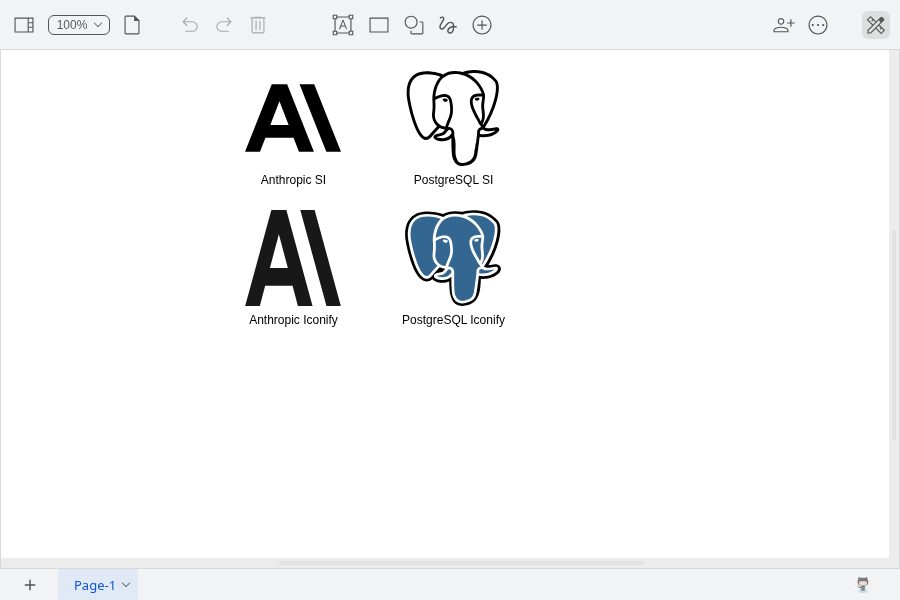
brandvault found all 8.
Iconify's
logosset (gilbarbara/logos, CC0) found all 8, includinglogos:aws-s3.thesvg (
@thesvg/icons) found all 8, including a real AWS S3 service icon.svgl found 5 of 8 (missed snowflake, amazon s3 and hubspot).
Simple Icons 16.37.0 found 4 of 8 on the package itself.
I would start with Iconify's logos set (gilbarbara/logos, CC0). It hit all eight names in my check. Ask an engineer or your assistant to look up each brand's SVG there, use that HTTPS URL in the diagram, then open the result and check every icon. That is a verified pattern from a scripted follow-up, not an automatic two-tool product integration.
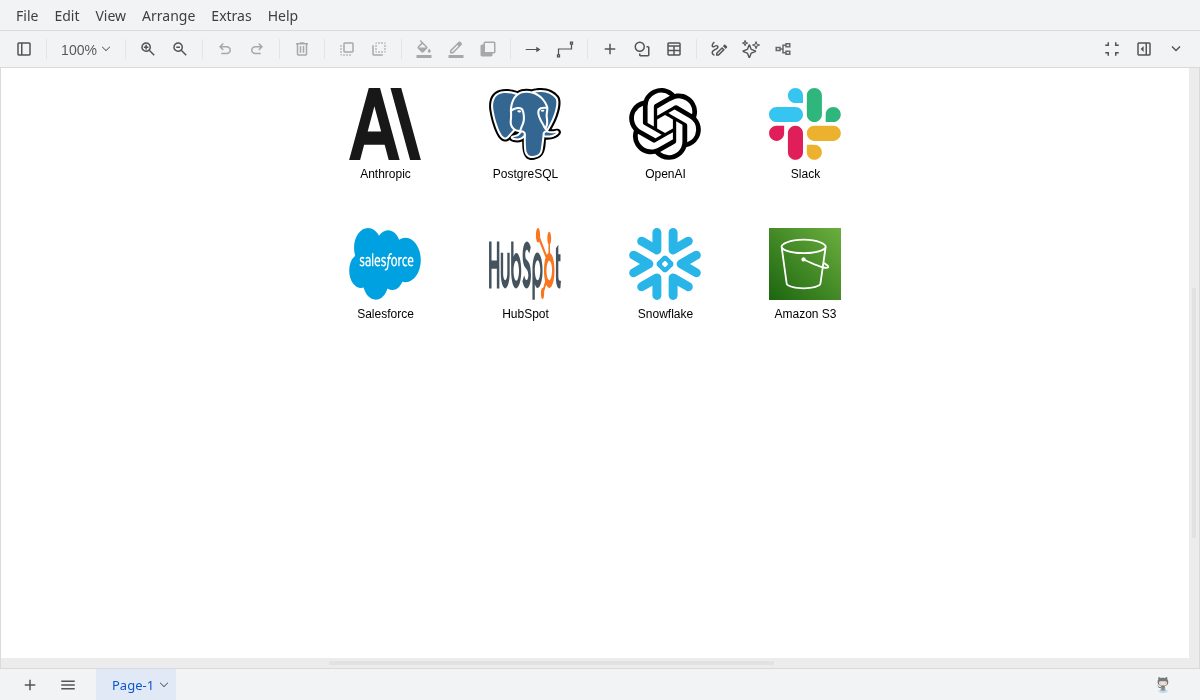
This is a separate logo-rendering check, not a repaired copy of the seven-box architecture. It shows the same eight brand names on a grid with correct Iconify logos. create_diagram accepted that XML with isError=false.
When a diagram uses remote HTTPS logo URLs, the browser fetches those image files from the logo host when the diagram loads. Those image requests leave the computer, and that library's terms apply. That is not the same as sending the full diagram or customer records to the icon host. AI model costs stay separate.
Prefer HTTPS logo URLs. If you must paste SVG into the diagram, do not use a ;base64 data URL: draw.io splits styles on semicolons, so the icons can go blank. A URL-encoded SVG data URL worked in a small engineering check.
Can it draw an architecture diagram?
I asked create_diagram for a seven-shape, six-edge "revenue agent" layout: Salesforce and HubSpot into API Gateway and Lambda, then out to PostgreSQL, OpenAI and Slack. The tool returned a diagrams.net link in 10 milliseconds. That timing is link generation, not the time to paint the diagram in a browser.
Opening the link produced a diagram with all seven boxes and six connections. Because shape search had already chosen Analytics for Salesforce and AnalyticDB for PostgreSQL, those icons looked wrong even though the boxes were connected. I did not rebuild that architecture with corrected logos in this follow-up. Instead I ran a separate eight-logo grid using Iconify HTTPS URLs, which rendered the correct marks.
I also sent deliberately broken diagram markup with an unclosed cell and a raw ampersand. The server returned isError=false and a repaired document. That is useful for recovery, and it means bad input may not fail loudly.
What did install and tests show?
npm installin the MCP App server finished in 5.827 seconds wall time.npm testreported 120 tests: 118 passed, 0 failed, 2 skipped. Wall time was 0.430 seconds.MCP connect and init took 293 milliseconds with the icon service on, and 467 milliseconds with it off.
These are single local observations. They do not measure model cost, hosted connector latency or production diagram quality.
What this means for product and GTM teams
If your team already explains systems with boxes and arrows, this is a practical way to let an assistant draft the first version. I would use it for internal architecture reviews first, then for customer-facing decks only after a person checks every logo.
Keep an approved shape list for infrastructure stencils, and a separate logo source for brand marks. Name an owner who opens every diagram before it is shared. Decide in advance whether wrong brand icons are acceptable in a first draft. The same care applies when an assistant looks up records through tools, as in unwalled. For websites that expose their own assistant actions, the related WebMCP explanation covers that approach. The broader split between skills and tool access is in Agent Skills and MCP.
One licensing note: open logo files cover copyright in the SVG artwork, not trademark rights. Brand marks still belong to their companies. Check each brand's logo rules before public use.
Frequently asked questions
Is draw.io MCP free?
The repository is open source under Apache License 2.0. The hosted MCP endpoint and the public diagrams.net editor are free to use under their own terms. Your AI assistant and model usage can have separate costs. My logs do not measure model spend.
Where does diagram content go on the hosted path?
To the draw.io MCP service at mcp.draw.io, according to the README Data Residency section. Local or self-hosted options can keep that processing on your side. A hosted AI model is a separate exposure either way.
Does a successful diagram mean the brands are correct?
No. In my searches, several brand names returned a related but wrong shape. Pair draw.io MCP with a logo library for brand marks, then open the diagram and check each icon before you share it.
What did create_diagram actually return?
It returned a diagrams.net link in 10 milliseconds for my seven-shape example. Rendering that link in a browser is a separate step. Embedding HTTPS logo URLs into the diagram XML also worked.
Sources
jgraph/drawio-mcp README: hosted Cursor path, tools and Data Residency. Checked 9 Nov 2026.
shared/icon-search.js at commit 639186a: online icon service URL and image style prefix.
drawio.com/mcp: assistant setup guides.
brandvault (MIT tooling), gilbarbara/logos via Iconify (CC0), and thesvg (MIT): logo sources used in the follow-up.

Kartikay Dhar
Head of Product at Sprouts.ai, where he leads One Platform, Sprouts Data Universe and the Sprouts MCP. On Instagram he shares one free GitHub repo a day.
Related articles
ui-diff tested: visual QA that caught a contrast bug
I ran ui-diff on a two-page demo. It caught a 1.91:1 contrast drop, and Cursor's agent correctly explained a misleading focus-order note.
DeepSeek Super-agent is a router for coding work
DeepSeek Super-agent is a research prototype for a proactive GitHub coding agent on DeepSeek Harness. Here is what the open docs say it is, and is not.
agent-dream tested: AI memory that cites its sources
I ran agent-dream, a free MCP server that turns past coding chats into memory pages. Each fact cites its messages, and a fake citation was rejected.