Scrapling: Free Web Scraping for AI Agents, Tested
I tested Scrapling v0.5: selectors that survived a simulated redesign, an MCP tool that sent 19x less text, and Cloudflare demo challenges.

Head of Product at Sprouts.ai
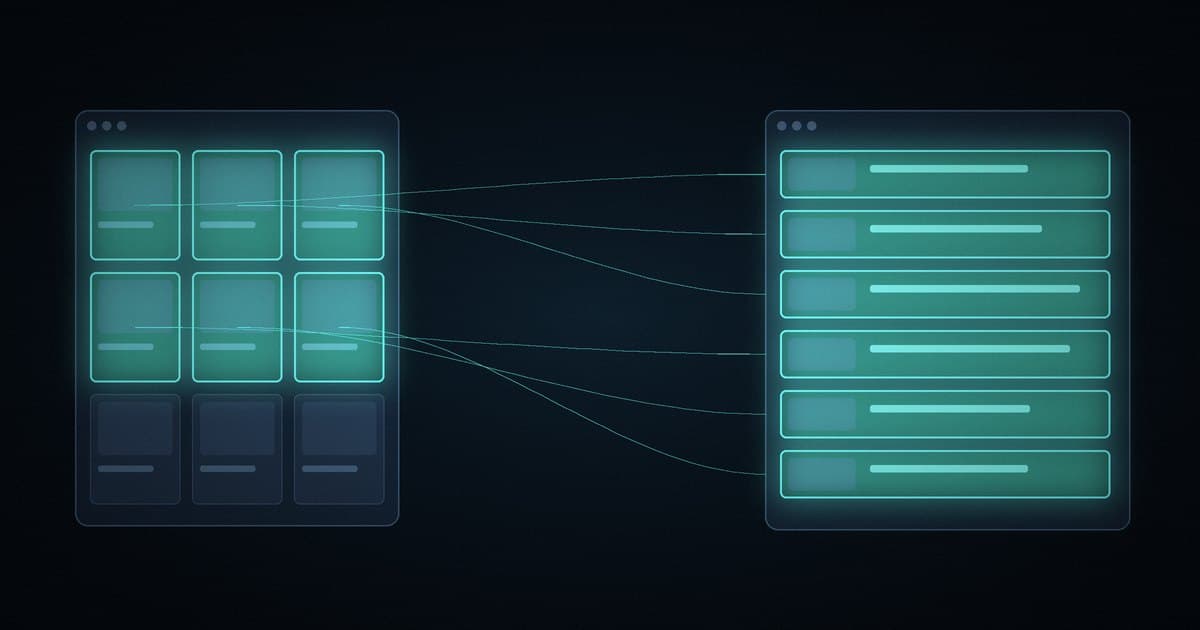
Scrapling is a free, open-source Python scraping library by Karim Shoair. It fetches pages over HTTP or a headless browser, finds elements again after a site changes its markup, and ships an MCP server for AI agents. In my test, its MCP tool sent the model about 19x less text than the page HTML.
The repo is D4Vinci/Scrapling, licensed under BSD-3-Clause. When I checked the GitHub API on 2 Nov 2026 at 08:13 IST it had 91,820 stars and 9,670 forks. The version I tested, v0.5, was released on 18 Oct 2026 and is the current release on PyPI. It needs Python 3.10 or newer.
What I tested
I ran this on my Linux test machine on 2 Nov 2026, starting at 8:05 IST. I only used scraping practice sites built for this (quotes.toscrape.com and books.toscrape.com), with no logins. Later that morning I ran a follow-up on Cloudflare challenge demo pages, covered below.
- Version and date: Scrapling 0.5 on Python 3.12, 2 Nov 2026.
- Setup:
uv pip install "scrapling[ai,fetchers]"in a fresh virtual environment, which took about 2 seconds. - Task I ran: four scraping checks in one Python script, then one MCP client call to
scrapling mcp. - Time to first result: under a minute by the log timestamps, from starting the install at 08:05:42 to the first fetched page at 08:06:19. The Chromium download was already cached on my machine, so a clean machine will take longer.
- What worked: a saved selector still found all 20 books after I renamed the page's tags and classes, and the MCP tool returned a 365-character answer for a product page.
- What broke or surprised me:
scrapling installfailed on a machine without root, and every request carried a Google referer header by default. - Would I use it at work? Yes, for agents that read public pages on sites that allow scraping, with robots.txt checked first. Not for getting past a site's bot protection.
What were the results?
| Check | Result |
|---|---|
| HTTP, 10 pages, one session | 100 quotes in 6.37 s |
| Median time per page | 488 ms |
| JS page over plain HTTP | 0 quotes |
| JS page, stealth browser, cold | 10 quotes in 3.85 s |
| 5 JS pages, one browser session | 50 quotes in 8.09 s |
| Redesign, plain selector | 0 books |
| Redesign, adaptive selector | 20 books |
| MCP server start | 0.60 s |
| MCP tools listed | 16 |
The 8.09 seconds for five JavaScript pages includes opening the browser, because the timer started before the session. One run each, on practice sites over a live network, so read the timings as a direction rather than a benchmark.
Does plain HTTP scraping still work?
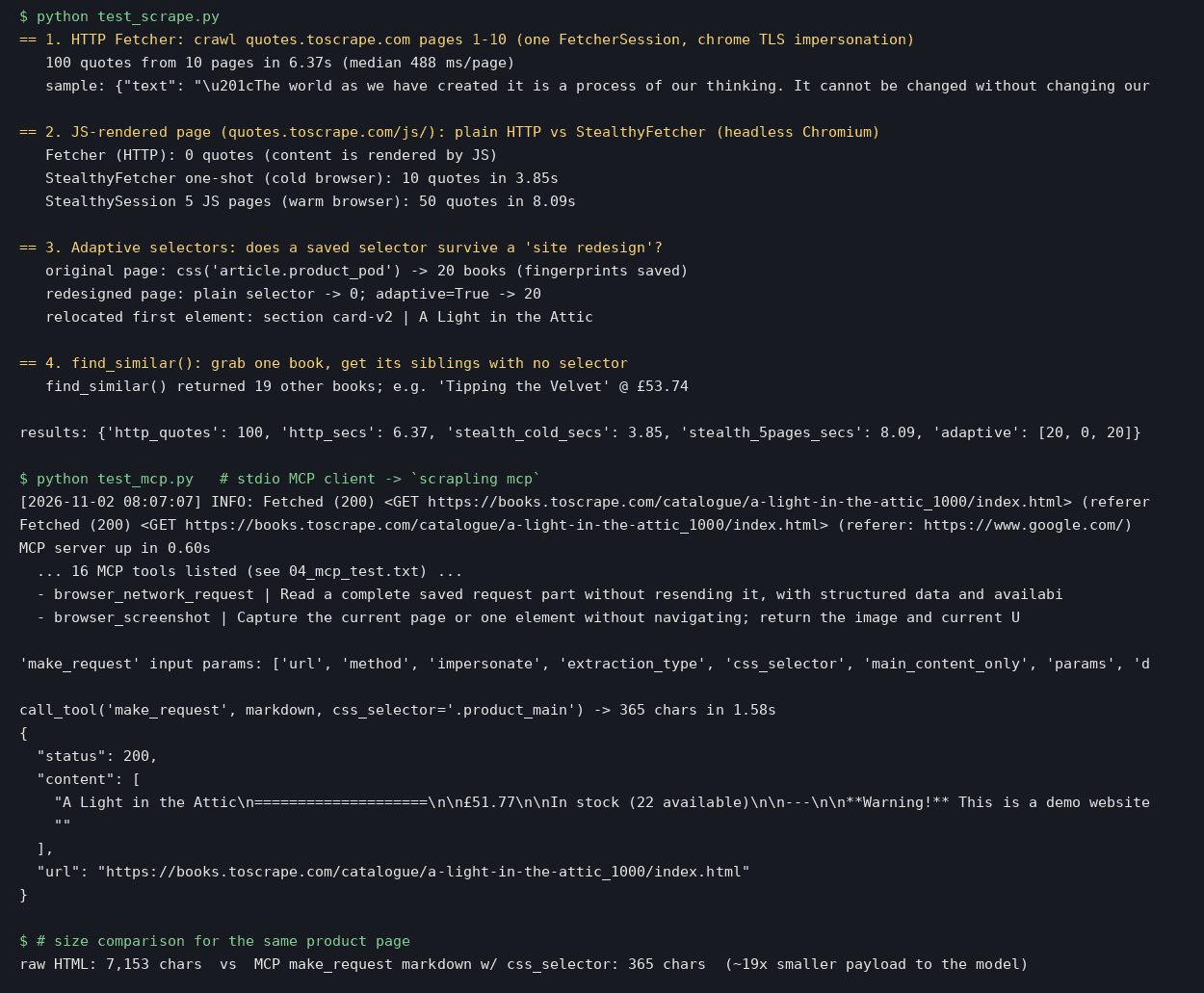
For server-rendered pages, yes. One FetcherSession with Chrome TLS impersonation crawled ten pages of quotes.toscrape.com and pulled 100 quotes with author and tags in 6.37 seconds. The code is short:
from scrapling.fetchers import (
    FetcherSession)

url = "https://quotes.toscrape.com/"
with FetcherSession(
        impersonate="chrome") as s:
    page = s.get(url)
    for q in page.css(".quote"):
        print(q.css(".text::text").get())
Plain HTTP can't see content that JavaScript draws after load. On quotes.toscrape.com/js it found 0 quotes. StealthyFetcher, which drives headless Chromium, found all 10 in 3.85 seconds from a cold start. If you only need rendered pages read, not clicked, a lighter browser like Lightpanda is worth comparing.
Do adaptive selectors survive a redesign?
Scrapers usually break when a site renames a class. Scrapling can save a fingerprint of the elements a selector matched, then find them again later by similarity when the selector stops matching.
I selected article.product_pod on books.toscrape.com with auto_save=True, which matched 20 books. Then I simulated a redesign by renaming every article tag to section and the product_pod class to card-v2. The plain selector found 0 books. The same selector with adaptive=True found all 20, and the first one was the right book, "A Light in the Attic".
The caveat is the test itself. My redesign renamed a tag and a class on an otherwise identical page. A real redesign moves content, changes nesting and adds new elements, so treat this as a best case. The adaptive scraping docs explain how the matching works.
A related feature, find_similar(), needs no selector at all. From one book element it returned the other 19 books on the page. That's useful when you can point at one example but don't want to write the selector.
How does the MCP server help agents?
Install the ai extra and run scrapling mcp. My client connected over stdio and the server was ready in 0.60 seconds, listing 16 tools. They cover plain requests, stealth browser fetches, browser sessions with clicks and typing, JavaScript evaluation, screenshots, captured network requests, and saving or loading login state. The MCP server docs cover client setup.
The part that matters for cost is make_request. It takes an extraction_type (I used Markdown) and a css_selector, so the server sends back only the part of the page you asked for. For one product page with .product_main as the selector, the whole response was 365 characters, including its JSON wrapper. Scrapling's parsed HTML for the same page was 7,153 characters, about 19x more. That's fewer tokens per page and less noise for the model, the same problem long-context methods like RLMs and RAG attack from the model side.
Can Scrapling get past Cloudflare challenges?
The README says Scrapling handles Cloudflare Turnstile and interstitial pages, so I tested it on 2 Nov 2026 between about 9:15 and 9:28 IST. I only used public demo pages built for bot-detection testing: NopeCHA's Cloudflare demo and peet.ws Turnstile test pages. Each check was one run with StealthyFetcher, with and without solve_cloudflare=True, using a 90-second timeout. The headful runs used a virtual display.
| Test | Time | Result |
|---|---|---|
| NopeCHA interstitial, plain HTTP | 0.09 s | Blocked (403) |
| NopeCHA, stealth only | 2.37 s | Stuck on "Verifying..." |
| NopeCHA, solver, headless | 218.35 s | Cleared after 2 retries |
| NopeCHA, solver, headful | 219.11 s | Cleared after 2 retries |
| Managed Turnstile, plain HTTP | 0.18 s | Page, no token |
| Managed Turnstile, stealth only | 3.54 s | Checkbox left unchecked |
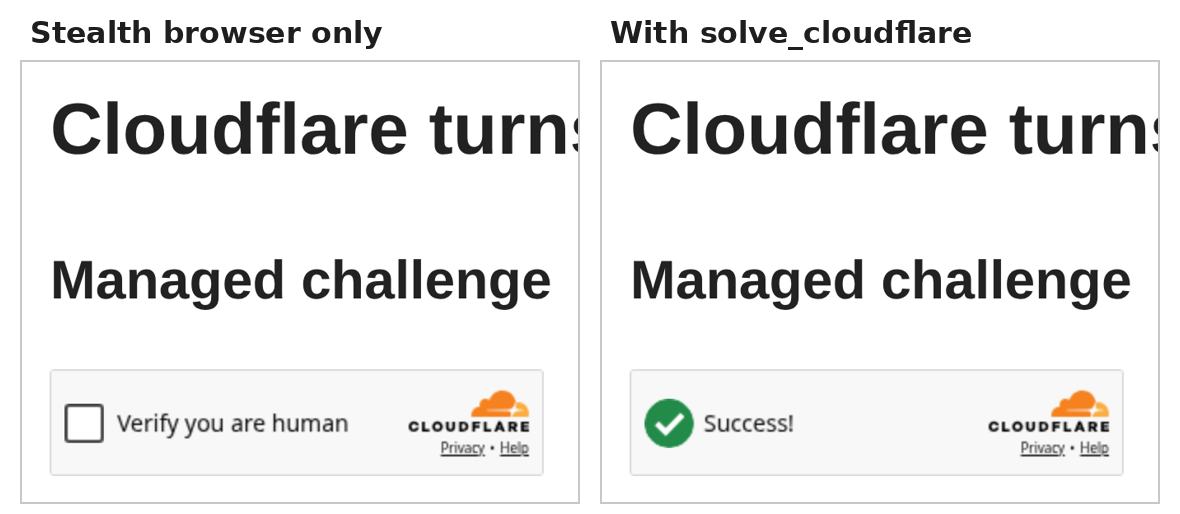
| Managed Turnstile, solver | 10.15 s | "Success!" and a token |
| Non-interactive, plain HTTP | 0.19 s | Page, no token |
| Non-interactive, stealth only | 3.19 s | Token |
| Non-interactive, solver | 13.03 s | Token |
The solver handled every standard challenge these demos showed. The stealth browser alone was enough only for the non-interactive Turnstile. On the interactive NopeCHA page the solver took about three and a half minutes, because the challenge reappeared twice before it cleared and the site redirected to its demo page.
This isn't a guaranteed bypass. Demo pages aren't the high-security challenges a production site can set, and Cloudflare decides partly on IP reputation, so results will vary by network. Two other pages proved nothing either way: nowsecure.nl didn't challenge my IP at all, and the 2captcha Turnstile demo and the peet.ws index page had no gate. A site that challenges bots is telling you something, so check its terms before you point any scraper at it.
What's the catch?
The browser install needs root
scrapling install runs playwright install-deps, which installs system packages, and on my machine it exited with an error. The workaround was installing the browser alone with python -m playwright install chromium. On a server you control, run the full install once as root, or use the project's Docker image.
It adds a Google referer by default
stealthy_headers defaults to true. It adds real browser headers and sets the referer to https://www.google.com/ on every request, which showed in my logs. The docstring says so, but it's easy to miss. Turn it off if you'd rather your scraper say what it is.
Only scrape where you're allowed
The README also promotes proxy and CAPTCHA services. Its own disclaimer says to respect each site's terms of service and robots.txt. Scrapling's spider framework has a robots_txt_obey option for that, but the fetchers I used don't check robots.txt for you. If a site blocks bots, ask for an API or a data license.
The logs are noisy
The MCP server logs every fetch to stderr. That's harmless, but expect it in your agent's logs.
If you control the website, there's a cleaner route than scraping: WebMCP lets the site hand agents typed tools instead of pages to parse.
What this means for product and GTM teams
Most agent workflows I see need to read a few public pages: a changelog, a docs page, a pricing table. Paid scraping APIs make that easy but add a bill per page. Scrapling is free, and the two features I tested go after the two costs that are left: scrapers breaking when a page changes, and models reading far more text than they need.
I'd use it for internal research agents on sites that allow it, with robots.txt checked, selectors saved with auto_save, and the MCP tool limited to a CSS selector so the model only sees what it needs. I'd keep it away from anything that depends on getting past a site's defenses. That's a legal and trust problem first.
Frequently asked questions
Is Scrapling free?
Yes. It's open source under the BSD-3-Clause license. You pay only for your own machine, and for proxies if you choose to use them.
Do I need a browser to use Scrapling?
No. Plain HTTP fetching needs no browser. You only need Chromium for pages that render content with JavaScript, through StealthyFetcher or the browser tools in the MCP server.
What are adaptive selectors?
Scrapling saves a fingerprint of the elements a selector matched. If the selector stops matching later, adaptive=True finds the most similar elements instead. In my test it recovered all 20 books after a simulated redesign.
Does Scrapling respect robots.txt?
Only if you ask it to. Its spider framework has a robots_txt_obey option, off by default, that follows Disallow, Crawl-delay and Request-rate rules. The plain fetchers don't check robots.txt, so check it yourself.
Can Scrapling get past Cloudflare?
On public demo pages, its solve_cloudflare option cleared an interactive interstitial in about 3.5 minutes and a managed Turnstile in about 10 seconds. That's not a guarantee for real sites, and you should only scrape where a site's terms allow it.
Sources
- D4Vinci/Scrapling on GitHub (README, stars and license checked 2 Nov 2026)
- Scrapling releases (v0.5, 18 Oct 2026)
- Scrapling on PyPI
- Scrapling documentation
- Scrapling docs: Adaptive scraping
- Scrapling docs: MCP server
- Scrapling docs: Choosing a fetcher
- toscrape.com practice sites
- NopeCHA Cloudflare demo page
- peet.ws Turnstile test pages

Kartikay Dhar
Head of Product at Sprouts.ai, where he leads One Platform, Sprouts Data Universe and the Sprouts MCP. On Instagram he shares one free GitHub repo a day.
Related articles
Do Browser Agents Need Chrome? Lightpanda, Tested
Lightpanda, a headless browser built in Zig, ran the same Puppeteer script as Chrome with about 16x less memory. Results, caveats and when to switch.
Impeccable: A Design Vocabulary for Coding Agents
Impeccable is a free, open-source design skill for coding agents. Here is what its 24 commands and 62-rule detector do, and what they don't catch.
Harness Engineering Is the New Prompt Engineering
WalkingLabs' free Learn Harness Engineering course teaches the five-subsystem harness around coding agents: 14 lectures, 8 projects, and why prompts alone fail.