shim's mock agent loop finished in 8 ms
Shim is a single-binary Go harness for any model API. I ran v0.1.0 against a local mock: seven tools, read_file, a two-turn loop in 8 ms.

Head of Product at Sprouts.ai
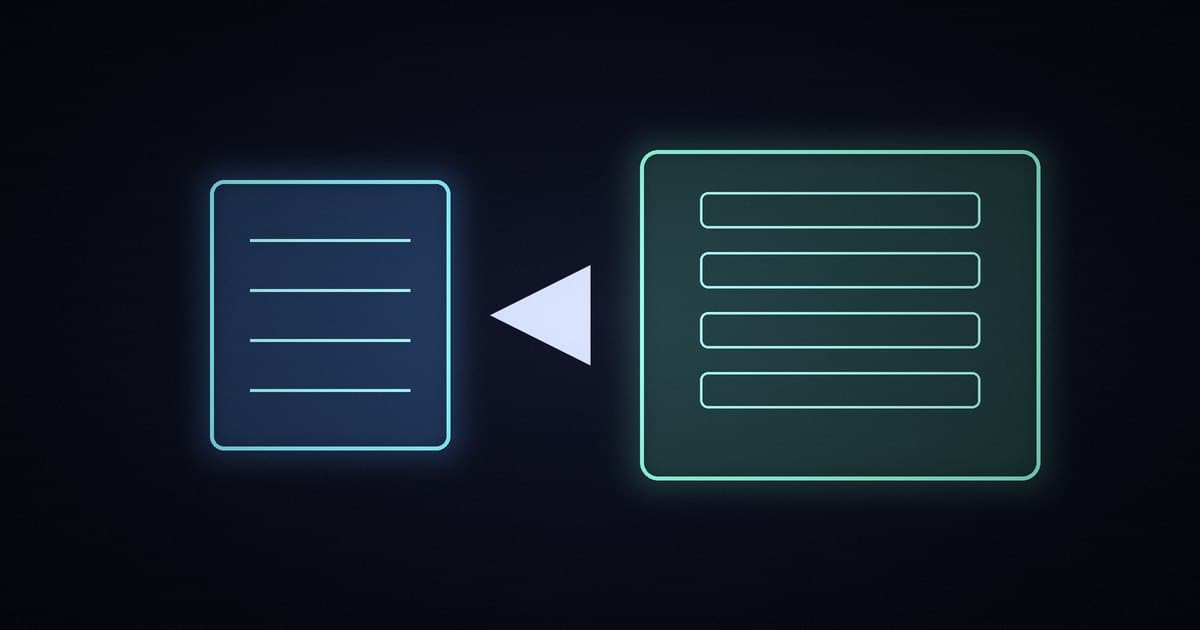
Shim is a free, open-source, single-binary Go harness for coding agents. It talks to OpenAI-compatible or Anthropic APIs, can load MCP servers and Agent Skills, and keeps state in plain JSON and JSONL. The repo is Balanov/shim, MIT licensed by Anton Balanov. I ran v0.1.0 against a local mock OpenAI-compatible server in read-only mode, with no real model and no API keys.
The one-shot run shim run "read hello.txt and summarize" finished in 8 ms wall time. The mock saw seven tools, called read_file, and completed a two-turn loop. The binary on disk was 7,454,983 bytes, about 7.11 MiB.
What I tested
shim0.1.0, built from the public source into one static binary.- A local mock OpenAI-compatible server on
127.0.0.1:8765, pointed at from an isolated config withpermissions: read-only. - One workspace file,
hello.txt, containing "hello from shim test". - One scripted agent run that asked shim to read that file and summarize it.
Skills and MCP servers in that config sat at 0. The run exercised the built-in file tools and the OpenAI-compatible path only.
How small is the binary, and what does a run look like?
After the build, the Linux binary weighed 7,454,983 bytes (7.11 MiB). The README reports a maintainer measurement of 7.29 MiB stripped on Windows for v0.1.0, plus a 9.96 ms median for shim --version over 30 runs. I did not repeat that startup benchmark; the capture file for it only recorded that /usr/bin/time was missing on this machine.
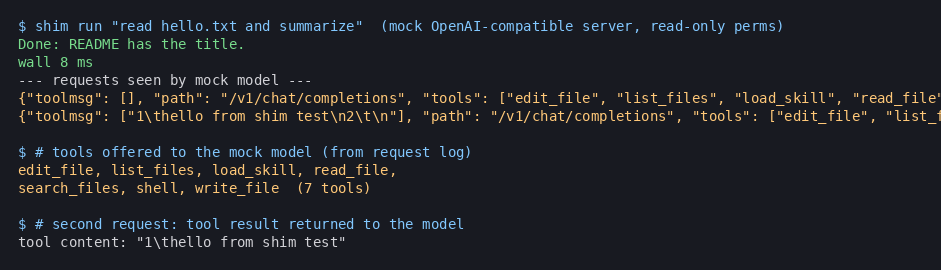
The agent loop is the number I do have. With the mock server up, shim run returned "Done: README has the title." That reply is the mock's canned final message, not a real summary of README. What matters is the request log:
| Step | What the mock saw |
|---|---|
| Request 1 | 2 messages, 7 tools, no tool results yet |
| Tool call | read_file on hello.txt |
| Request 2 | 4 messages, tool result "hello from shim test" |
| Wall time | 8 ms |
The seven tools offered to the model were edit_file, list_files, load_skill, read_file, search_files, shell and write_file. In read-only mode the mock still listed the write and shell tools in the schema; the permission gate is on the harness side when those tools actually run.
Sessions landed as append-only JSONL next to the config. Each run stored the user prompt, the read_file tool call, the tool result and the final model reply. That is enough to resume or audit without a database, which fits the same "keep the receipts" habit I want from a harness.
What does read-only change?
My config set "permissions": "read-only". Status against that config reported Model custom, Permissions read-only, Models 1, Skills 0, MCP 0 and Sessions 2 after the two recorded runs. The README describes three modes: ask (default, confirm writes and shell), read-only (no writes, shell or MCP) and auto. I only drove read-only with a mock that chose read_file, so I am not claiming I watched the harness block a write.
Shim is also clear that it is not an OS sandbox. Shell and MCP, when enabled, run as your user. Path checks on the workspace do not contain a hostile process. For untrusted work you still want a container or VM, the same way I treat other local agent CLIs.
Why bother with a tiny harness?
Most coding-agent stacks drag in a TUI, a daemon, a desktop shell or a Node install before the first prompt. Shim's pitch is the opposite: one static binary, no telemetry, no bundled model weights, keys only from environment variables. The README compares it with OpenCode, Goose and Aider on that axis. I am not scoring those tools here; the useful contrast from this run is that a full tool-call round trip against a loopback mock finished in 8 ms inside a 7 MiB binary.
That is the shape I reach for when I want a scriptable agent in CI or a laptop script, not a full workspace product like Kiro Crew or a background decision hub like agent-autoloop. Heavy stacks win when you need reviews, memory and multi-agent UI. I think a thin harness wins when you already know the model endpoint and you want the loop to stay boring and measurable.
What this means for product and GTM teams
If you ship anything that wraps a model in tools, the cost that hurts is rarely the first demo. It is the install, the daemon and the opaque session store. A 7 MiB binary with JSONL sessions is easier to hand a teammate, pin in a container and diff in git. Pair it with a real evaluation path (even a mock that forces read_file) so you know the harness, not just the model, before you wire MCP or a paid API.
Start with read-only against a loopback mock. Keep the request log. Add MCP only when a tool from this run is not enough.
Frequently asked questions
Does shim need a cloud account?
No. My run used a local mock OpenAI-compatible server and a MOCK_KEY env name in config. Real use still needs whatever key your chosen provider expects, read from the environment, not from Shim's config file.
Which model APIs does it speak?
The README and CLI list OpenAI-compatible and Anthropic adapters, with presets for Ollama, LM Studio, llama.cpp, OpenAI, Anthropic, OpenRouter, Gemini, GitHub and Hugging Face. I only exercised the OpenAI-compatible custom base URL.
Did this run use MCP or Agent Skills?
No. Status showed Skills 0 and MCP 0. The seven tools in the request were Shim's built-in workspace tools.
How big is the binary?
My Linux build was 7,454,983 bytes (7.11 MiB). The README cites 7.29 MiB stripped on the maintainer's Windows machine for v0.1.0.
Is the 8 ms loop a model benchmark?
No. The "model" was a local mock that returned a fixed tool call and a fixed final string. The 8 ms measures harness overhead on that path, not generation quality.
Sources
- Balanov/shim on GitHub (MIT; 463 stars and 10 forks when I checked on 6 Nov 2026)
- v0.1.0 release (published 2 Nov 2026)
- README (features, permissions, maintainer binary and startup notes)
- CHANGELOG (0.1.0 initial public release)
- Related: tester-army e2e verification layer

Kartikay Dhar
Head of Product at Sprouts.ai, where he leads One Platform, Sprouts Data Universe and the Sprouts MCP. On Instagram he shares one free GitHub repo a day.
Related articles
ui-diff tested: visual QA that caught a contrast bug
I ran ui-diff on a two-page demo. It caught a 1.91:1 contrast drop, and Cursor's agent correctly explained a misleading focus-order note.
DeepSeek Super-agent is a router for coding work
DeepSeek Super-agent is a research prototype for a proactive GitHub coding agent on DeepSeek Harness. Here is what the open docs say it is, and is not.
agent-dream tested: AI memory that cites its sources
I ran agent-dream, a free MCP server that turns past coding chats into memory pages. Each fact cites its messages, and a fake citation was rejected.