Vercel UI SDK tested: allow, confirm and secret checks
I ran Vercel UI SDK's agent bridge on a small settings page. It changed three settings in one call, hid a tax ID and refused a delete.

Head of Product at Sprouts.ai
Vercel UI SDK is a free, open-source library from Vercel Labs for building app screens that AI agents can operate directly. Instead of an agent looking at screenshots and clicking, it reads a short list of the page's controls and calls their actions. Your app decides what the agent may do, what needs a person, and what it never sees.
In practice, a support agent could rename a customer's project and change its region in one step, while the app still makes a person approve a delete. In Vercel's own test, the agent needed 5 tool calls instead of 16. The first public beta came out on 12 November 2026, so it is brand new.
I installed the beta, built a small project settings page with it, and drove that page through the agent bridge, the part of the SDK that agents talk to.
What I tested
Version: @ui-sdk/core and @ui-sdk/react 0.1.0-beta.1 from npm, the first public beta.
Setup: one npm install with React 19, in 2.5 seconds. I rendered the page in jsdom, a browser stand-in that runs inside Node.js.
Task I ran: a settings page with six controls: Project name, a Tax ID field marked secret, an Email notifications switch, a Region dropdown, a Delete project button marked as needing a person, and Save. I called the bridge's tools from a script, the same calls an agent makes.
Time to first result: the page was ready in about a fifth of a second. One call that changed three settings took 118 milliseconds.
What worked: a small, readable view of the page, a hidden tax ID and a refused delete.
What broke or surprised me: a change my app cancelled still came back as a success, and the switch accepted an action name the snapshot didn't list.
What is Vercel UI SDK?
The vercel-labs/ui repo describes it as "a library of behaviors for agents to build the next generation of user interfaces". A behavior is a tested building block for things like keyboard navigation, focus, selection, popups and drag and drop. Vercel's launch post on 12 November 2026 says they built more than 50 of them. You or your coding assistant combine them into components for React, Vue, Svelte, Solid or Web Components.
The README says plainly that UI SDK is in beta, under Vercel's beta terms, and that the way you call it may change before the full release.
This post is about the other half, the agent bridge, which lets an agent use a finished screen.
How is this different from a browser agent?
A browser agent works like a person at a screen. It takes a screenshot or reads the page's HTML, finds the right box, clicks, types, and checks again. I tried that in my agent-browser post. It works on any site, but every step means reading the page again.
The agent bridge skips the reading. It gives the agent three tools:
snapshotlists every control with its label, current value and the actions it accepts.actruns one or more steps, such as "set Project name to Atlas".querylooks inside one control, such as the choices in a dropdown.
The change goes through the component's own code, the same path a person's click takes. The bridge can also hand these tools to a browser that supports WebMCP, the standard that lets a website offer tools to the AI built into a browser. If the browser doesn't support it, this step does nothing.
What did the agent see on my page?
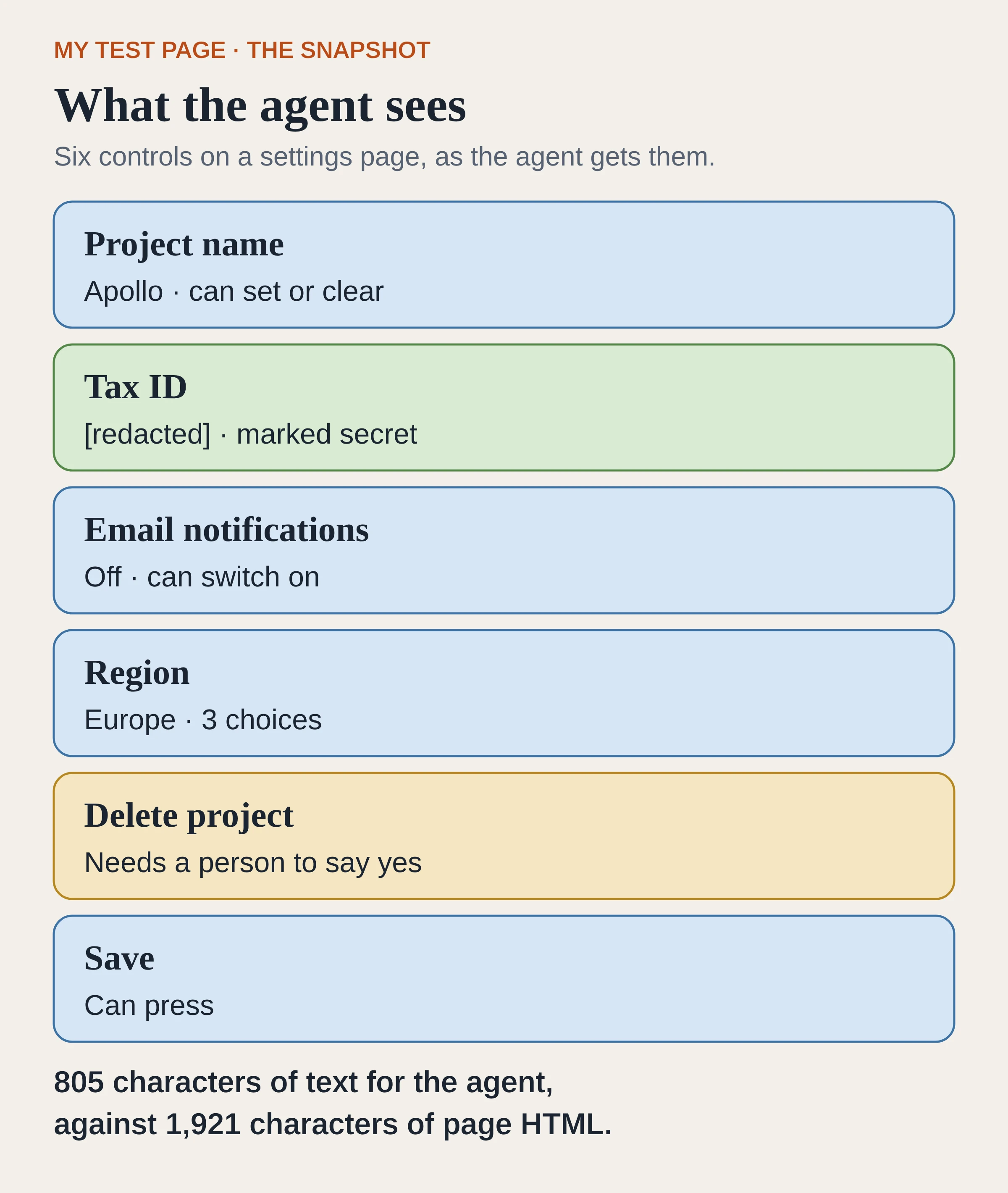
The snapshot from my test page, redrawn from the log.
The snapshot listed all six controls in 805 characters. The page's HTML was 1,921 characters.
The Region dropdown listed its three choices: Europe, North America and Asia Pacific. The Delete button carried the warning I had attached to it: "Deletes the project permanently". An agent sees that warning before it tries.
The Tax ID field held a made-up tax number. The snapshot showed it as [redacted], because I had added data-agent-secret to the field.
Can it change several settings in one go?
Yes. I sent one act call with three steps, using the labels a person would see:
{ ref: "Project name", action: "setValue",
  args: ["Atlas"] }
{ ref: "Email notifications", action: "toggle" }
{ ref: "Region", action: "setValue",
  args: ["North America"] }
It took 118 milliseconds. Every act call replies with ok: true when it reports success or ok: false when it was refused, and this one reported success. The project was renamed from Apollo to Atlas, email notifications went from off to on, and Region moved from Europe to North America. The input on the page said Atlas afterwards.
The app can also ask to be told about every change, which the SDK calls subscribe. It logged three changes, each with the old value, the new value and source: "agent". That tag tells an agent's edit apart from a person's.
How do the allow, confirm and secret checks work?
A browser agent can click anything a person can click. With the bridge, the app gets a say before each step. The SDK has three checks: allow, confirm and secret. Your app can add its own rules on top, and I tried one of those too.
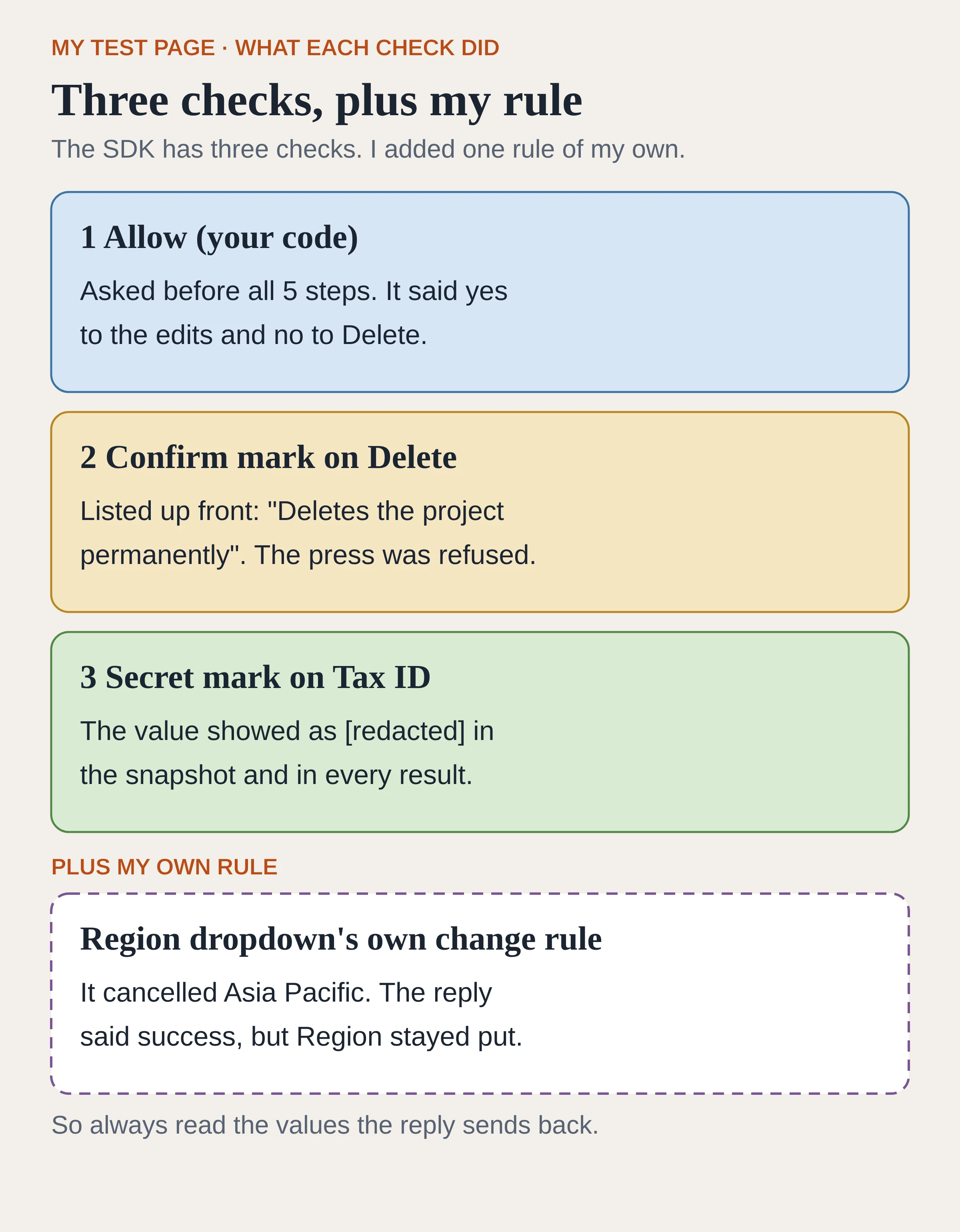
What the three checks, plus one rule of my own, did in my run.
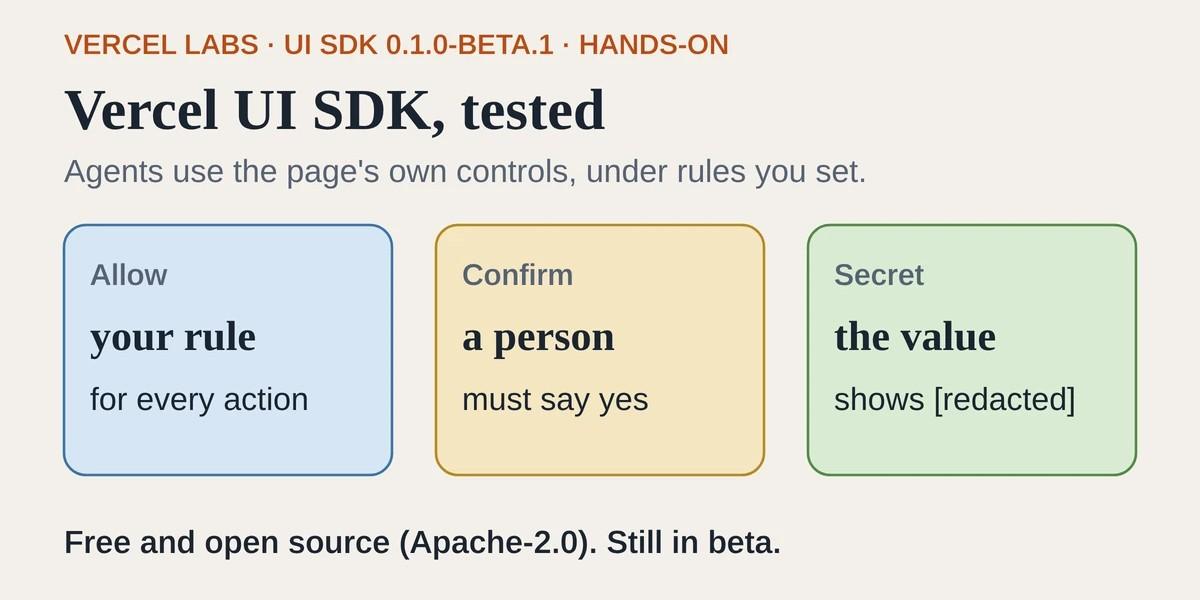
Allow: your rule for every action
When you create the bridge you can pass an allow function. It runs before every step, sees the control and the action, and returns yes or no. In my run it was asked five times, once per step. A refusal stops the call, and the reply says it was refused. Earlier steps stay applied, the docs say.
Without an allow function, the bridge accepts any supported action, so add one before you ship.
Confirm: a person has to say yes
You mark a button with data-agent-confirm and a sentence that says what it does. That button then always needs a person, whatever your other rules say. What happens next depends on whether you wrote an allow function:
With no
allowfunction, the press is simply refused. The docs show the reply in this form: Needs a person: "…". Ask them to press "…" themselves.With an
allowfunction, the step waits while your app shows the sentence in its own "Are you sure?" prompt, and goes ahead only if the person says yes.
In my script there was no real person. My allow function stood in for one and answered no to anything marked confirm. Pressing Delete was refused with the message: The person said no to "Deletes the project permanently". The code that runs when someone presses Delete never ran.
Secret: the agent can type but not read
data-agent-secret keeps a value out of the snapshot, the results and the change log. The agent can still fill the field. The docs say password, card and one-time-code fields are treated as secret even without the mark. There is also data-agent-hidden, which removes a whole section from the agent's view.
Plus your own rules
Separate from those three checks, a component can carry its own rule. I gave the Region dropdown its own change rule, taken from the docs example, that cancels any agent request to choose Asia Pacific.
The reply said success, and Region stayed on North America. The docs warn that a cancelled change can still report success, so whoever builds the agent side should check the returned values every time.
What did Vercel's own benchmark find?
Vercel's agents page has a benchmark. These are Vercel's numbers, not mine. Two agents did the same job on a project settings screen: rename a project, update members and notification settings, then save. One used browser tools on a screen built with a different set of ready-made components. The other used the agent bridge on the same screen built with UI SDK.
Tool calls: 5 with the bridge, 16 with browser tools.
Time: 16 seconds against 41 seconds.
Cost: $0.032 against $0.073.
Text the agent read: 6.8k characters against 39.8k.
These are medians of three runs per approach, both using Anthropic's Claude Sonnet model in Claude Code, and every run finished the task. That is a small sample on a screen the vendor chose, so treat it as a direction.
What are the catches?
Your screens have to be built with it. The bridge only sees UI SDK components. An existing app built with other components gets nothing until those screens are rebuilt.
Success doesn't always mean changed. My cancelled Region change still came back as a success.
One action can have two names. The snapshot listed only
setCheckedfor the switch, buttoggleworked too. The reference docs say some extra names stay usable even when left out of the list. Myallowfunction received the name "toggle", so a rule written only for "setChecked" would miss it.Open by default. With no
allowfunction, every supported action runs.
What this means for product and GTM teams
By GTM I mean go-to-market: the teams that sell, launch and support the product. For a PM, the useful idea is that the screen itself states the rules for agents. A settings or billing screen can say which buttons need a person, which fields stay private, and which changes the app refuses. Those rules ship with the same code a person uses.
In my run the checks did what the docs said. The one thing that would trip a careless setup is a cancelled change reporting success.
The bigger question is the cost of switching, since the bridge only covers screens built with UI SDK. A team already choosing the building blocks for a new product can weigh it now. A team with a large existing app would be rebuilding screens to get this. If you want to see how a site offers tools to agents without rebuilding its components, I have a small WebMCP demo you can open.
How to try it
Install the core package and the React adapter with one command:
npm install @ui-sdk/react @ui-sdk/core. Vue, Svelte, Solid and Web Components have their own adapters.Follow Vercel's Guide. It builds a small app with one Region dropdown, has you read and change it from the browser console, and then lets the ChatGPT desktop app use it through its built-in browser. The ChatGPT part comes from the docs. I didn't run it, because my test used a script in jsdom.
For a real product, start with one low-risk screen. Write an
allowfunction first, so your app decides which actions run, and putdata-agent-confirmon anything that deletes data or charges money.
Frequently asked questions
Is Vercel UI SDK free?
Yes. It's open source under Apache-2.0. You pay only for the model your agent uses.
Does it work with my existing React components?
Not directly. The agent bridge reads UI SDK components, so you would need to rebuild those screens with UI SDK, including any custom pieces you define with its building blocks.
Can an agent delete things without asking?
Not if you mark the button with data-agent-confirm. Then Delete is refused unless a person says yes. In my run it was refused, and the delete code never ran. Without that mark or an allow rule, the bridge accepts supported actions.
Sources
vercel-labs/ui on GitHub: README, beta status, licence. Checked 13 Nov 2026.
Introducing UI SDK, Vercel, 12 Nov 2026: more than 50 behaviors.
Built for Agents: the agent bridge and Vercel's benchmark.
Permissions: allow, confirm and secret.
Guide: the Region dropdown walkthrough.
WebMCP: registering the tools with a browser.
Reference: actions and their extra names.
@ui-sdk/core on npm: version 0.1.0-beta.1, published 12 Nov 2026.

Kartikay Dhar
Head of Product at Sprouts.ai, where he leads One Platform, Sprouts Data Universe and the Sprouts MCP. On Instagram he shares one free GitHub repo a day.
Related articles
ui-diff tested: visual QA that caught a contrast bug
I ran ui-diff on a two-page demo. It caught a 1.91:1 contrast drop, and Cursor's agent correctly explained a misleading focus-order note.
DeepSeek Super-agent is a router for coding work
DeepSeek Super-agent is a research prototype for a proactive GitHub coding agent on DeepSeek Harness. Here is what the open docs say it is, and is not.
agent-dream tested: AI memory that cites its sources
I ran agent-dream, a free MCP server that turns past coding chats into memory pages. Each fact cites its messages, and a fake citation was rejected.